PDCard Trade Still Processing? Can You Cancel It or Submit Another Gift Card?
STATUS FIRST · DIFFERENT CARD = DIFFERENT TRADE · SAME CARD AGAIN = DON'T · KEEP THE CODE PRIVATE
✦
♡
PROCESSING TRADE GUIDE · 2026
TRADE STILL
PROCESSING?
Can you cancel it — or submit another gift card?
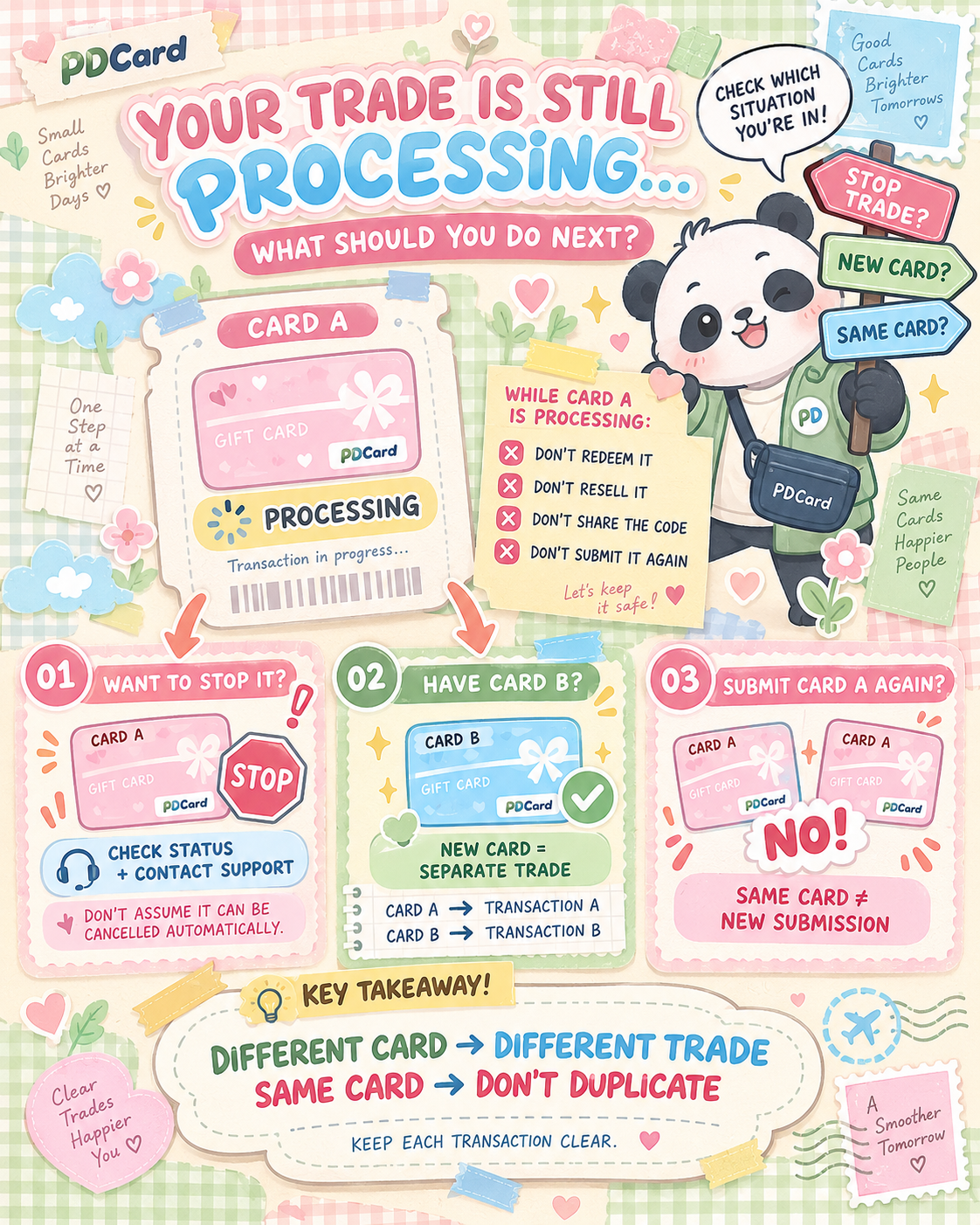
A submitted card already has its own active transaction. Your next step depends on whether you want to stop that trade, trade a completely different card, or reuse the same card.
WHAT DO YOU WANT TO DO?
Choose the situation that matches you.
✋
STOP CURRENT TRADE
I changed my mind.
Check status and contact support using the existing transaction.
🎁
DIFFERENT CARD
I have another card.
Treat it as a separate trade with its own correct details.
⟳
SAME CARD AGAIN
The first one is slow.
Do not create a duplicate for the exact same card.
✦
♡
STATUS FIRST · THEN CHOOSE THE NEXT MOVE
TRACK THE ORIGINAL TRADE
The transaction already has a stage.
Do not decide based only on how long you have been waiting. A submitted trade is different from one already under review or completed.
SUBMITTED
PROCESSING
UNDER REVIEW
COMPLETED
REJECTED / CLOSED
Need the full status walkthrough? Track Each Step of a Gift Card Trade on PDCard ↗
If review is taking longer than expected, see Why Some Gift Card Trades Take Longer to Review on PDCard ↗
WHILE IT'S ACTIVE
Leave the card alone.
DON'T REDEEM
DON'T RESELL
DON'T RESUBMIT
DON'T EXPOSE CODE
A processing transaction is still active. Sending the same code elsewhere creates competing paths for one card.
Why you shouldn't send the same card to two vendors ↗
WRONG SUBMISSION?
Don’t fix one mistake by creating three more trades.
Wrong card uploaded
Keep the original transaction ID and contact support if the trade needs to be corrected.
Wrong category selected
Do not test several categories with the same card. Wrong Gift Card Category: Why It Can Slow Down Your Trade ↗
Details don’t match the card
Correct the mismatch rather than opening duplicates. What Happens If the Details Don’t Match the Uploaded Card? ↗
MULTIPLE CARDS · ONE CARD, ONE SLOT
Different cards should not share one transaction.
Apple $100, Steam $50 and Razer Gold $100 should each have their own trade. That makes status, payout and support easier to follow.
🍎
A
APPLE $100
🎮
B
STEAM $50
⚡
C
RAZER $100
SLOW TRADE?
A duplicate does not make the original finish faster.
10:00
Apple $100 submitted
→
10:15
Still processing
→
10:16
DO NOT submit the same card again
♡
CLEAR TRANSACTION ID
✦
OFFICIAL SUPPORT PATH
✓
KEEP THE CARD PRIVATE
SUPPORT PACK
Bring the details that identify the actual trade.
PDCARD ID
TRANSACTION ID
CARD TYPE
VALUE
STATUS
Contact PDCard Online Support →
QUICK ANSWERS
Open only the question you need.
Can I cancel a trade after submitting it?
Check the current status, then contact support promptly if you need the trade stopped or corrected.
Can I submit another card?
Yes, if it is a completely different card handled as a separate transaction.
Can I resubmit the same card because it is slow?
No. A duplicate does not speed up the original trade.
What if I submitted the same card twice?
Keep both transaction IDs and contact support. Do not create a third transaction.
KEEP PDCARD CLOSE
Track the trade. Keep the card path clean.
Use the official app for trading and tracking.
NEXT ARTICLE
What Happens After You Submit a Gift Card on PDCard? What to Do and Avoid Next? [2026]
Continue reading →
One card should have one clear active trading path at a time.
Apple gift card trading on PDCard
When you sell Apple gift cards, check the existing order before submitting the same card again. If you are unsure whether review can be stopped or a new submission is appropriate, contact official support with the current order ID.
Related guides: how to sell Apple gift cards in Nigeria and Apple gift card rates and naira value.