Can the Same Gift Card Be Submitted More Than Once?
If the interactive guide does not appear, open the full visual guide.
Check the existing transaction, Order ID, submitted time, and latest status before creating another submission.
Submitting the same gift card again may seem like the easiest thing to do when you are unsure whether your first transaction went through.
However, another submission does not make the original order process faster. If the first transaction already exists, submitting the same card again may create another transaction record with a different Order ID.
Before you resubmit, check your existing PDCard transaction first.
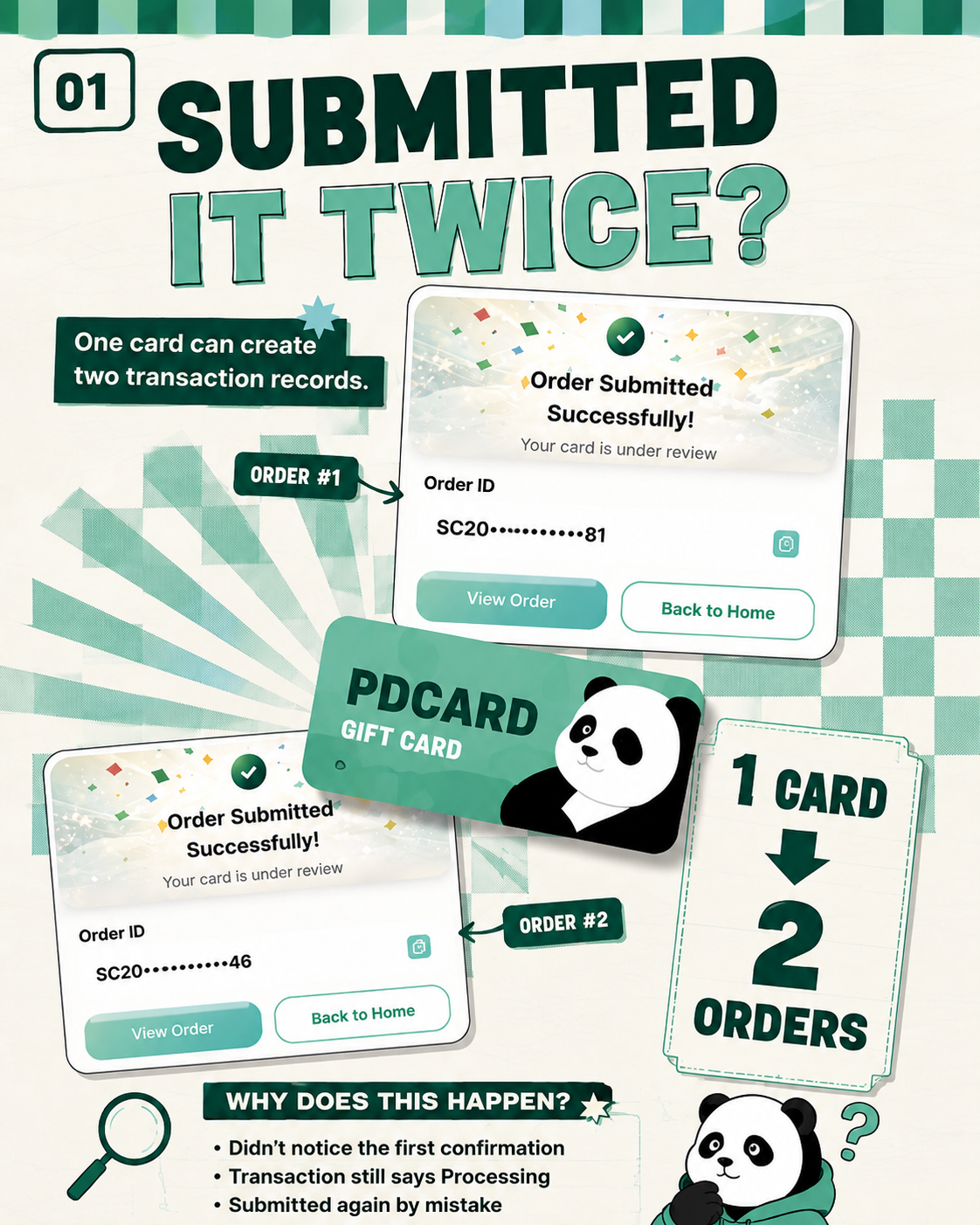
Can the Same Gift Card Be Submitted More Than Once?
A new submission may create another order record even though the gift card itself has not changed.
For example, your first submission may receive one Order ID. If you submit the exact same card again, the second submission may receive a different Order ID.
This does not mean the first transaction has been replaced. You may now simply have two records connected to the same gift card.
Why Do Duplicate Submissions Happen?
A second submission often happens because the user is unsure whether the original transaction was successful.
- The first order was not noticed in Transactions.
- The transaction was still showing Processing.
- The user thought another submission would restart the review.
- The submit action was accidentally completed more than once.
- The user assumed another order would make the process faster.
If you are uncertain, the safer next step is to check whether the original transaction already exists.
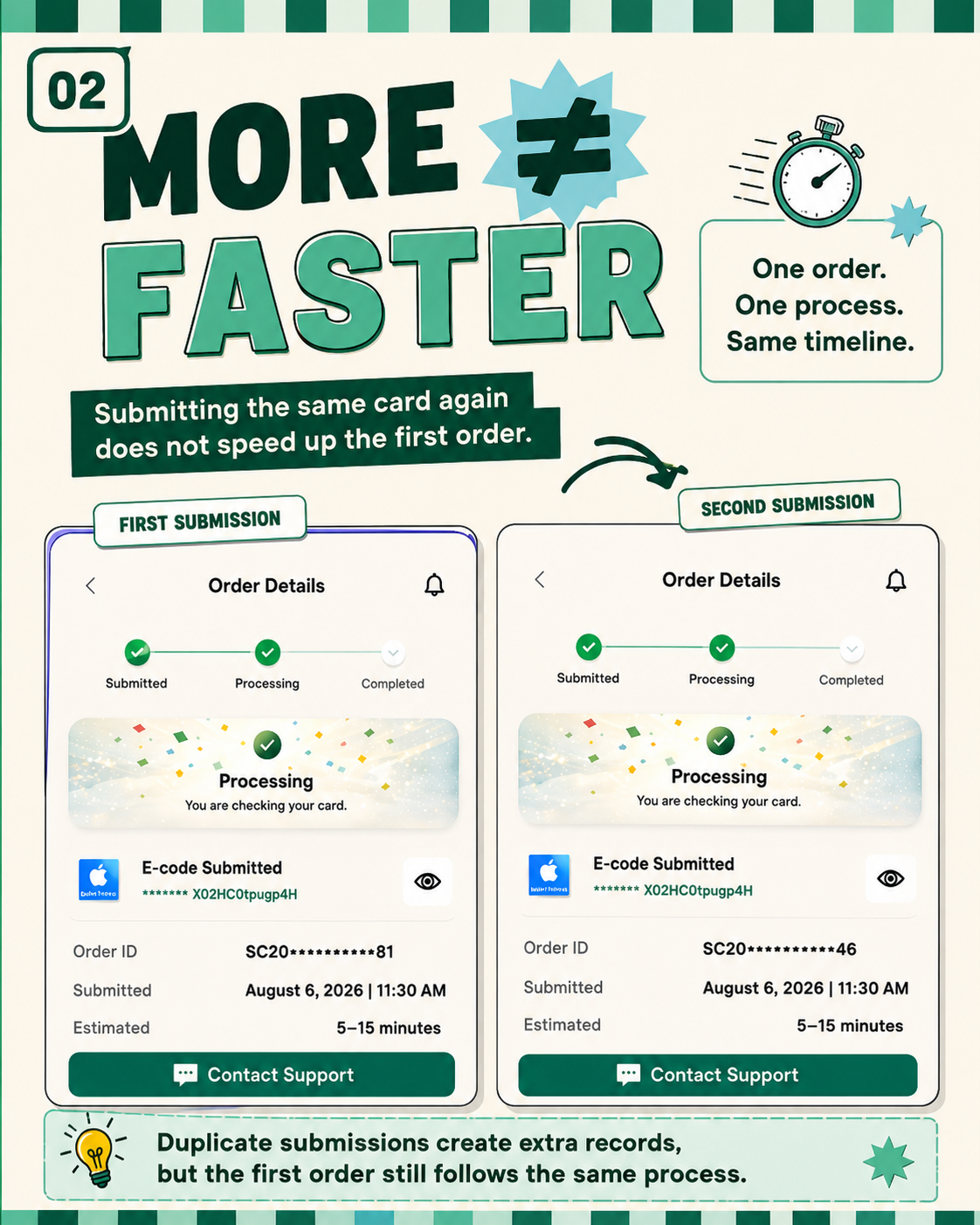
More Submissions Do Not Mean Faster Processing
If your first order is already Submitted or Processing, submitting the same gift card again does not speed up that transaction.
The original order continues through its existing review process. A second order may follow its own record while the first transaction remains active.
One existing order should be reviewed before another submission is created.
Creating duplicate records may also make it more difficult to know which Order ID you should follow if you later need assistance.
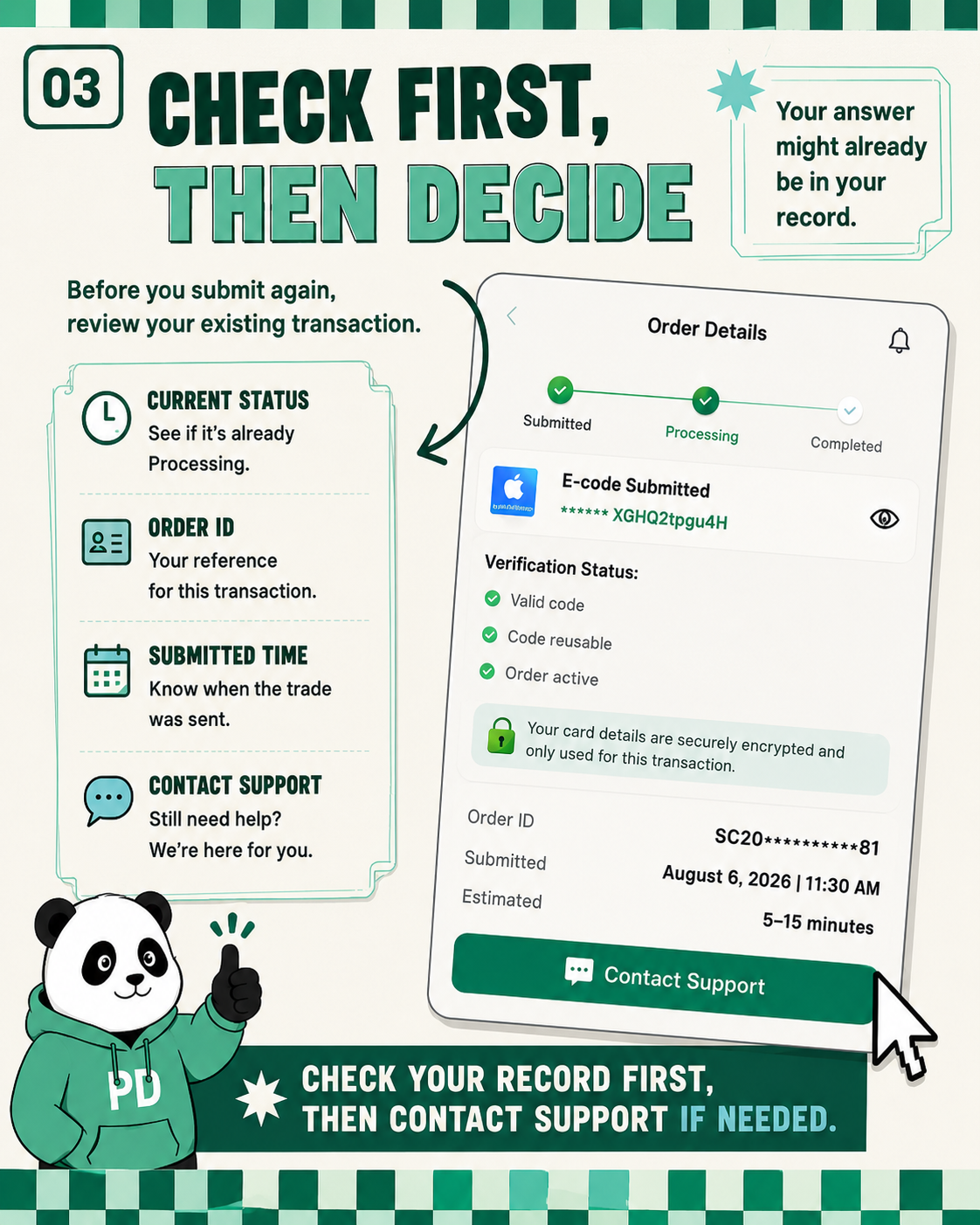
Check Your Existing Transaction First
Before you submit the same card again, open the existing transaction and review the information already available.
Check the Current Status
Look at whether the transaction is Submitted, Processing, Completed, or showing another update.
If the transaction is already Processing, the order is still active. Another submission is not needed simply because the first one has not finished yet.
Save the Order ID
Every order has its own Order ID. This is the reference you should use when tracking the transaction or asking official support about a specific trade.
Check the Submitted Time
The submitted date and time can help you identify which record came first if the same card has already created more than one transaction.
Review the Latest Update
The order may already show an estimated processing time, a request for more information, or another status update.
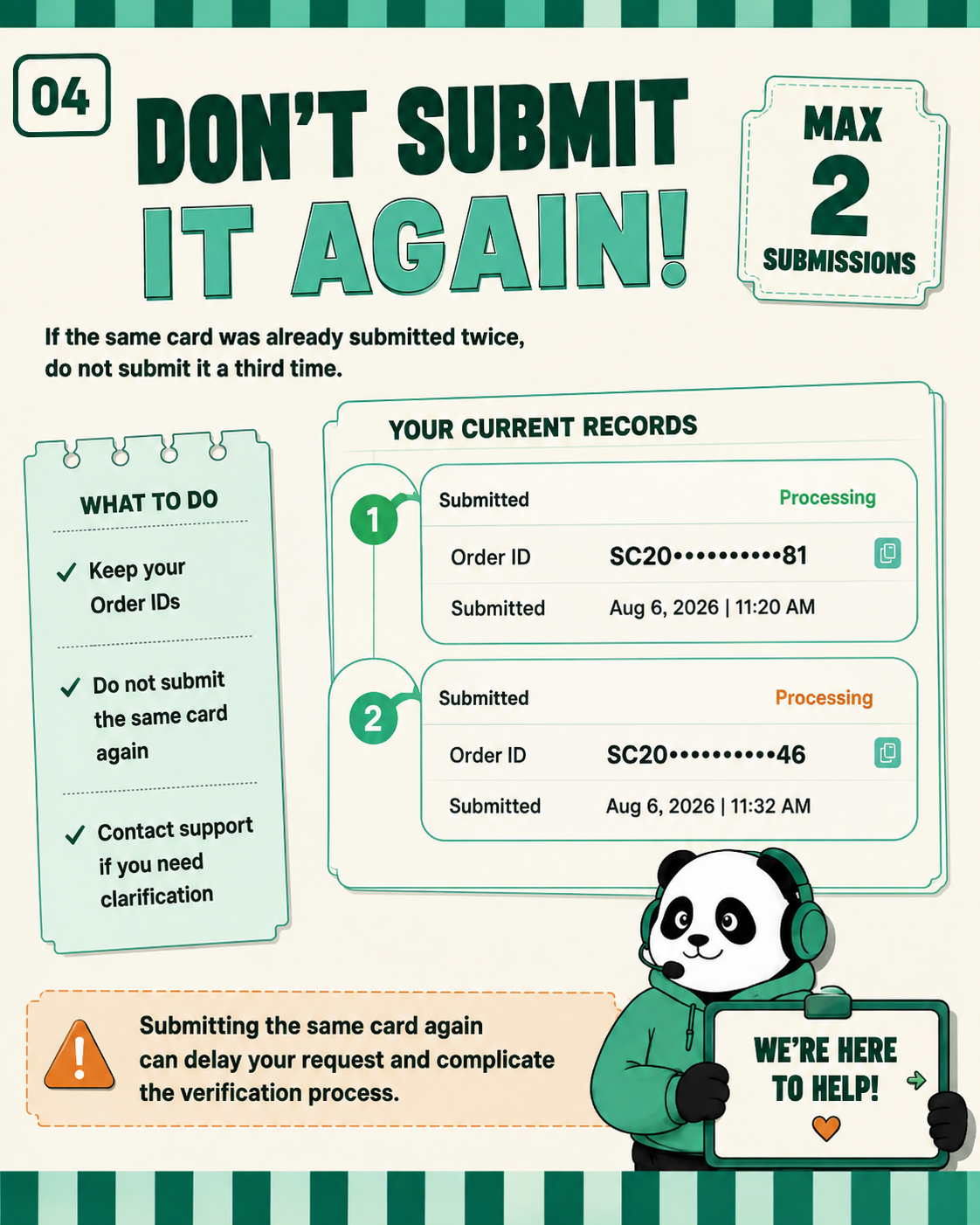
What If You Already Submitted the Same Card Twice?
If the same gift card already has two transaction records, do not submit it again just because you are unsure which one to follow.
Instead:
- Keep both Order IDs.
- Open both existing transaction records.
- Check the status of each order.
- Compare the submitted date and time.
- Keep the original gift card and receipt.
- Do not reuse or sell the card elsewhere while the transaction is active.
- Contact official support if you need clarification.
Creating another submission can add another record and make the situation more difficult to track.
Do Not Reuse the Card While It Is Under Review
Once the gift card is connected to an active transaction, avoid creating conflicting activity with the same card.
- Do not redeem the card somewhere else.
- Do not sell it to another trader.
- Do not repeatedly submit it on PDCard.
- Do not share the gift card code with another person.
- Keep the original card and receipt until the issue is resolved.
Following the existing transaction makes it easier to understand what is happening with the card.
When Should You Contact Official Support?
Contact official PDCard support when the existing transaction records do not clearly answer your question.
You may need assistance when:
- The same gift card appears in two transaction records.
- You are unsure which Order ID should be followed.
- Both transactions remain active.
- The displayed processing time has passed without an update.
- The two transactions show different statuses.
- You accidentally submitted the card more than once.
- The app instructs you to contact support.
When requesting help, provide the relevant Order IDs and explain that the records belong to the same gift card.
What Information Should You Prepare?
Save the reference number for every existing transaction related to the card.
Check whether each order is Submitted, Processing, Completed, or showing another update.
Note when each transaction was created.
Keep the card type and relevant purchase information available.
A Simple Rule Before You Submit Again
Use this sequence before creating another transaction:
If the first transaction already exists, continue following that record.
If two records already exist, keep both Order IDs and ask official support for clarification rather than creating another submission.
Check First, Then Decide
Submitting the same gift card again does not make the first transaction process faster.
Duplicate submissions may create multiple Order IDs for one card and make the transaction history more difficult to follow.
Before resubmitting, check whether the original transaction already exists, review its status and submitted time, and keep the Order ID.
If you still need help after checking the existing record, contact official PDCard support instead of creating another submission.
Apple gift card trading on PDCard
Check an existing order before you try to sell Apple gift cards that you have already submitted. If the result is unclear, contact official support with the order ID rather than creating another order for the same code.
Related guides: how to sell Apple gift cards in Nigeria and Apple gift card rates and naira value.