PDCard Withdrawal Not Received? Check the Status, Bank Details and Next Step
If your PDCard withdrawal has not arrived in your bank account, start with the existing withdrawal record. Do not assume that completing a gift card trade, seeing money in your PDCard balance and receiving a bank withdrawal are the same event.
The next action depends on which stage is incomplete. Keep the original reference and check the status before you create another request.
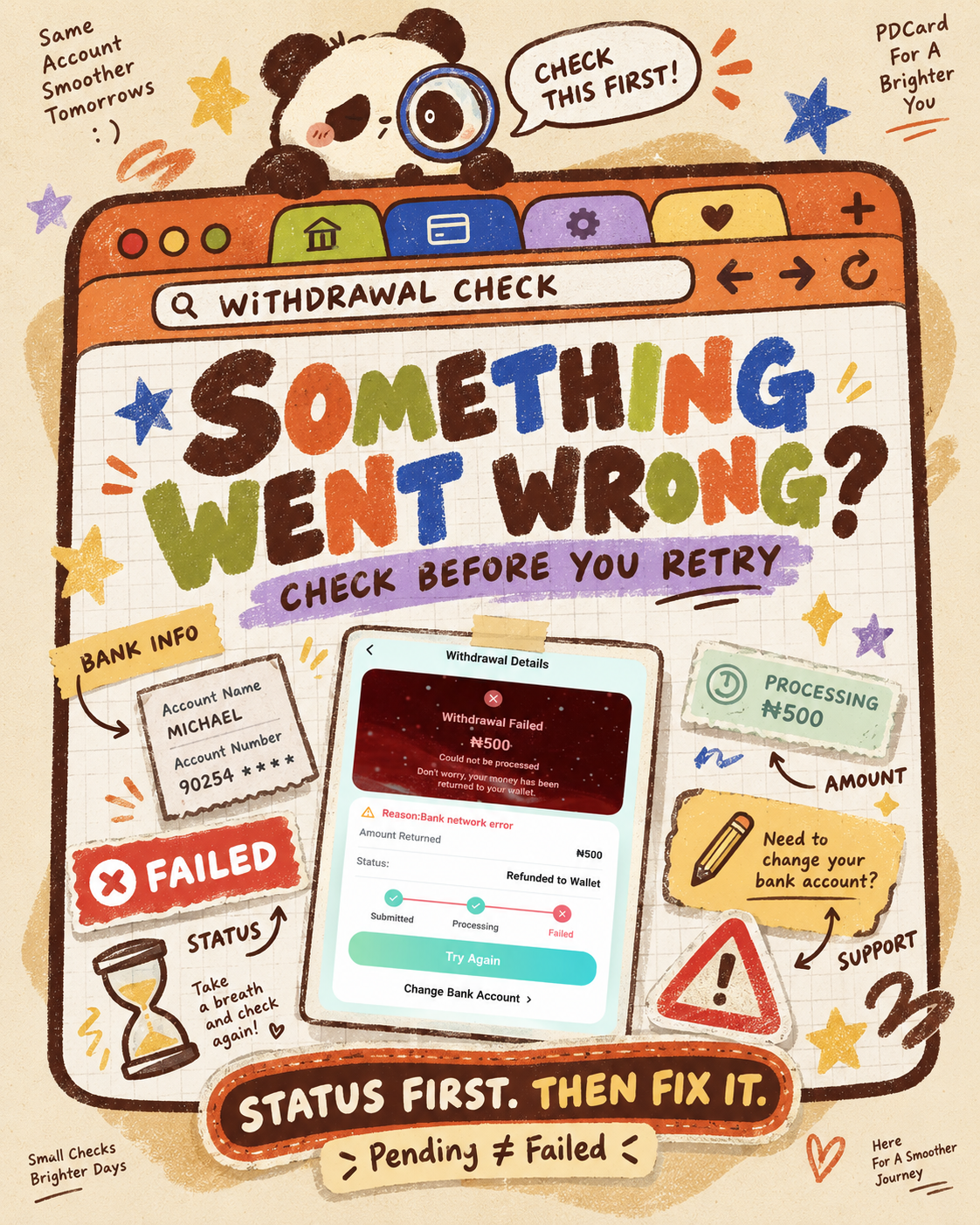
Identify the stage that needs attention
Your gift card trade is still under review: check that trade's record. A withdrawal guide cannot resolve a gift card review that has not finished. Read how to track a gift card trade and what to do while a trade is processing.
The trade is complete, but you cannot identify the balance entry: compare the trade reference and the relevant account record. Ask support to trace that entry rather than describing it only as a missing bank transfer.
You submitted a bank withdrawal: open the matching withdrawal record and compare the amount, time, receiving bank and reference. Continue with the status checks below.
What does the existing withdrawal record show?
Match the descriptions below to the exact message in your own record; labels may differ. If the meaning is unclear, ask support to explain that reference rather than guessing from a similar label in another app.
Pending or processing
Keep checking the same request and any message shown in the app. Avoid submitting another withdrawal solely because the first has not appeared at the bank yet.
If the app gives an expected processing window, use that instruction for this request. If that window has passed, a message asks you to act, or the status is unclear, contact official support with the reference. Do not apply a time promise published by another app to a PDCard transaction.
Completed, but you cannot see the bank credit
Check the receiving bank's transaction history and available balance, not only an SMS or push notification. Compare the account details used for this withdrawal with the account you are checking.
If the details match and the credit is still missing, ask support to investigate the existing withdrawal and provide the relevant transfer evidence or trace information when available. Do not claim the money has arrived because one screen says completed, and do not rely on an unverified payment screenshot as final proof.
See why a successful transfer can still need receiving-side checks.
Failed or returned
Read the transaction message and check whether the related amount is reflected in your current balance or account history. A failed status by itself is not evidence that a refund has already posted.
Correct the stated cause and clarify the original request before retrying. If the account history does not explain what happened to the amount, ask support to trace the original reference first.
You cannot find the withdrawal at all
Confirm that you are in the account used to submit it. Search the record by amount and approximate submission time, then keep any confirmation you received. Read how to check withdrawal history.
What if you entered the wrong bank details?
If you have not submitted, correct the receiving details before confirming.
If you already submitted, contact support promptly with the existing reference and explain which detail is wrong. Editing a saved bank account should not be treated as changing the destination of an earlier submitted withdrawal. Do not send another withdrawal to test whether the correction worked while the first remains unresolved.
For a future request, use the bank-account setup guide and the normal withdrawal walkthrough.
Send a support request that can be investigated
Use official PDCard support. Prepare:
- The withdrawal reference or transaction ID.
- The exact status or error message.
- The amount and submission date/time, including your time zone.
- The receiving bank and the masked account details needed to identify the destination.
- A screenshot of the relevant record, shared privately through the official support flow.
- Whether the issue is a missing withdrawal, an unexplained balance entry or wrong receiving details.
Never post a full bank statement, login password, OTP, withdrawal PIN or unredacted account details in a public comment. Provide additional sensitive evidence only when needed through the official support process.
Message template: “My withdrawal [reference] for [amount], submitted [date/time], shows [status]. I checked [receiving bank/masked account] and cannot find the credit. Please trace this existing withdrawal and confirm the next step.”
Before trying again
Make sure the earlier request is resolved, the balance is understood, the receiving details are correct and the new amount meets the conditions displayed for your account. This guide does not set a universal processing deadline, minimum amount or refund promise; follow the current instructions attached to your own request.