Can You Have More Than One PDCard Account? Multiple Account Rules Explained
Can You Have More Than One PDCard Account?
The short answer is simple: use one PDCard account for yourself. A new phone, shared Wi-Fi, lost SIM or forgotten password does not automatically mean you need a new account.
1 ACCOUNT
One user, one PDCard account
Your account is meant to represent you as one genuine user. Do not register another account just because you have a second phone number, changed devices, forgot your login, or want to repeat a referral, newcomer task or promotion.
If you are new to PDCard, follow the PDCard account registration guide. If you already have an account, keep using that account whenever possible.
Recover and continue using your existing account.
Create extra accounts to repeat rewards or promotions.
What can make multiple accounts look risky?
A single connection does not automatically prove abuse. Reviews can consider the overall activity pattern.
Can two people use the same Wi-Fi?
Yes. Genuine users may live together, work in the same place, or use the same Wi-Fi or hotspot. A shared IP address by itself does not automatically mean the accounts belong to one person.
Different people, their own phones, their own accounts and independent activity.
One person controlling several connected accounts, especially around the same rewards.
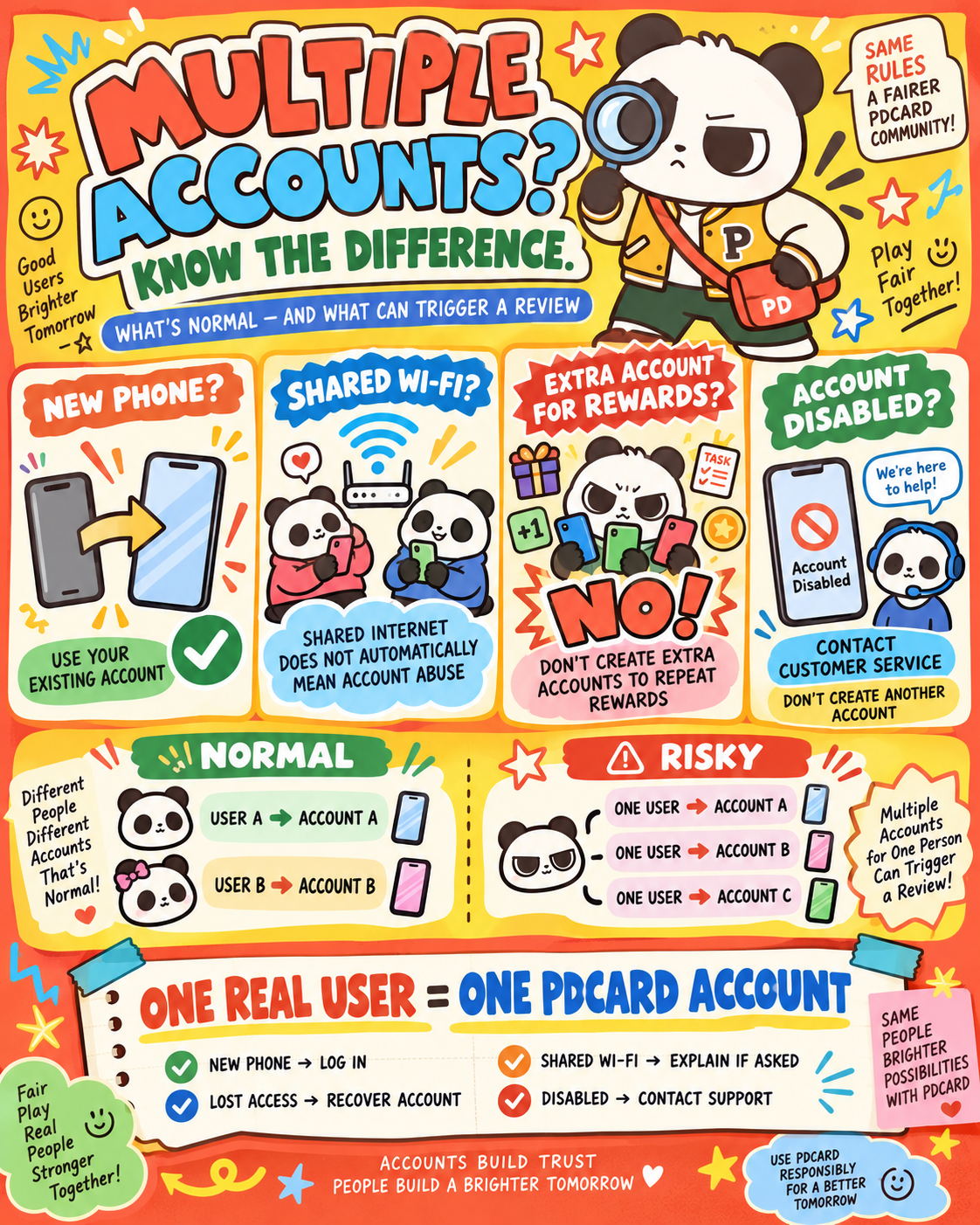
New phone, lost SIM or forgotten password?
Multiple accounts and rewards
Do not create another account through your own referral, create fake users, control referred users' accounts, or repeat the same reward activity using accounts you own. A genuine referral should involve another genuine user.
For the normal referral flow, see How PDCard Invite Rewards Work.
Each person should manage their own genuine account, even if the household shares Wi-Fi.
Do not create a replacement account
Connected multiple-account activity can trigger security review. Depending on the review result, an account may be restricted or disabled, and reward activity may also be reviewed.
PDCard ID, registered phone number, screenshot of the message and a clear explanation.
If you genuinely share Wi-Fi with another user, say so clearly.
New accounts, conflicting explanations, or moving your activity to somebody else's account.
See Why Was Your PDCard Account Disabled? [2026] or How to Contact PDCard Online Support.
What should you do?
Quick answers
Can I have two PDCard accounts?
Can family members each have an account?
Can I use another account after changing phones?
Does shared Wi-Fi automatically cause a ban?
What if I already created two accounts?
One real user should use one PDCard account.
Recover your existing account when possible. Let family members manage their own genuine accounts. Do not create or control extra accounts to repeat referral, task or promotional rewards.
Next guide: Why Was Your PDCard Account Disabled? [2026] →Apple gift card trading on PDCard
Use an account that follows PDCard’s account rules when you sell Apple gift cards. Keeping your trades and records in the correct account makes it easier to follow reviews and request support if an order needs attention.
Related guides: how to sell Apple gift cards in Nigeria and Apple gift card rates and naira value.