Why Was Your PDCard Account Disabled? [2026]
What does “account disabled” mean?
This message means access to the account has been restricted after the system detected activity that may require further review. While the restriction remains active, you may not be able to sign in or use the account normally.
It is different from entering an incorrect password, verification code or captcha. Reinstalling PDCard, changing devices or repeatedly trying to sign in will not automatically remove an account restriction.
Why might the system flag an account?
One possible reason is that multiple PDCard accounts were registered or operated on different devices through the same IP address. When connected accounts also participate in referral programmes, promotional tasks or reward activities, the pattern may be identified as possible multiple-account activity, cheating or reward abuse.
Several people can naturally appear on one IP when they share a home, office or public Wi-Fi connection. A shared IP does not automatically prove cheating, but the connected activity may still require review. If this happened to you, explain the situation clearly and truthfully.
The review focuses on the overall connection and activity pattern—not simply the fact that two devices once used the same Wi-Fi.
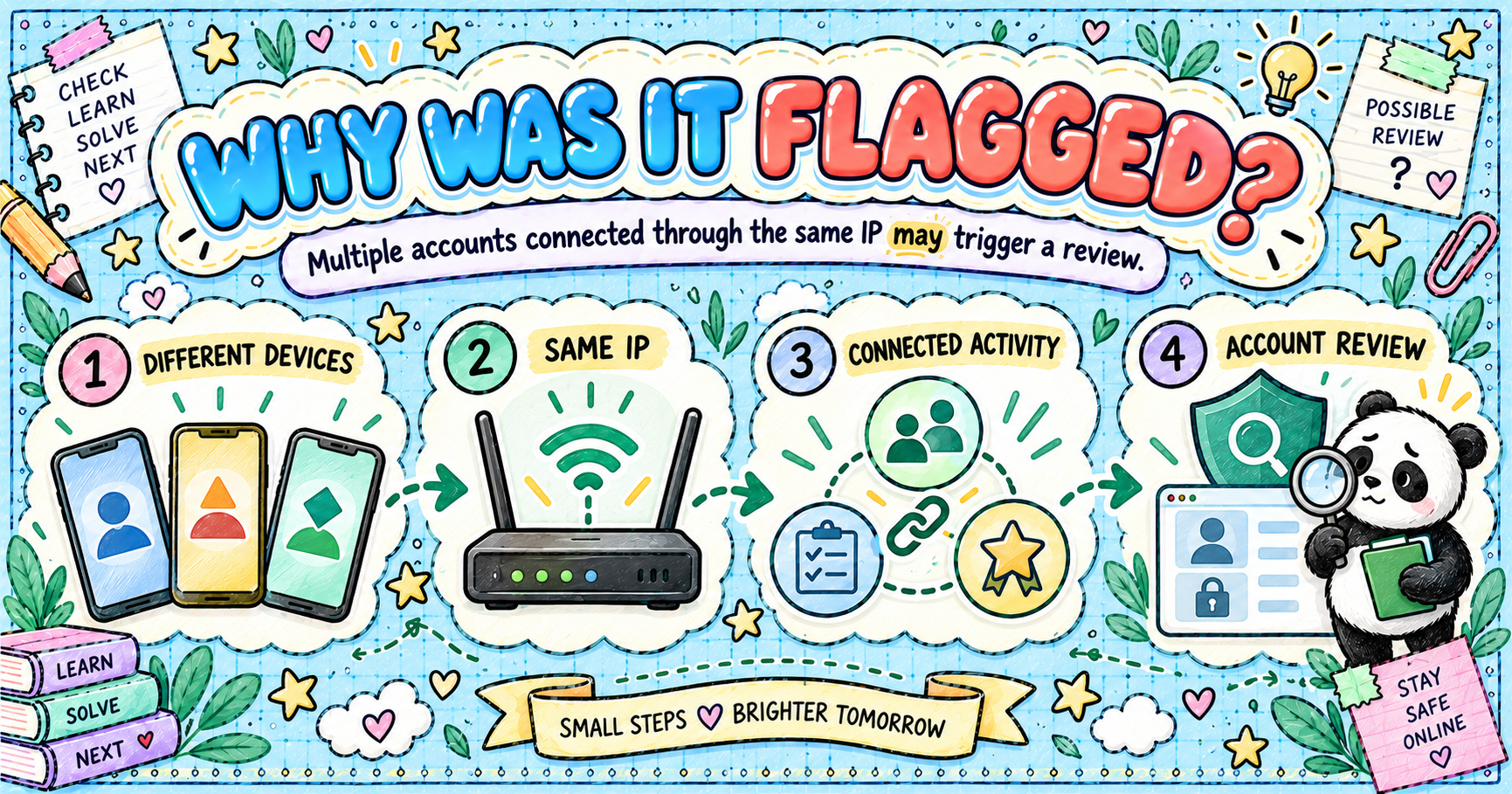
A flag begins a review—it does not explain every case by itself.
The same network pattern can have different explanations. That is why accurate account information and a clear description of any shared Wi-Fi situation matter.
What happens after an account is flagged?
The affected account may be disabled and locked while its activity is checked. Reward funds connected to the flagged referral, task or promotion may also be deducted after review.
The restriction belongs to the account itself, so switching networks or resetting the password does not resolve it.
Do not keep knocking on a locked gate.
Repeated login attempts do not provide the information needed for a review. The useful next step is to collect the correct account details and contact Customer Service once with a clear explanation.
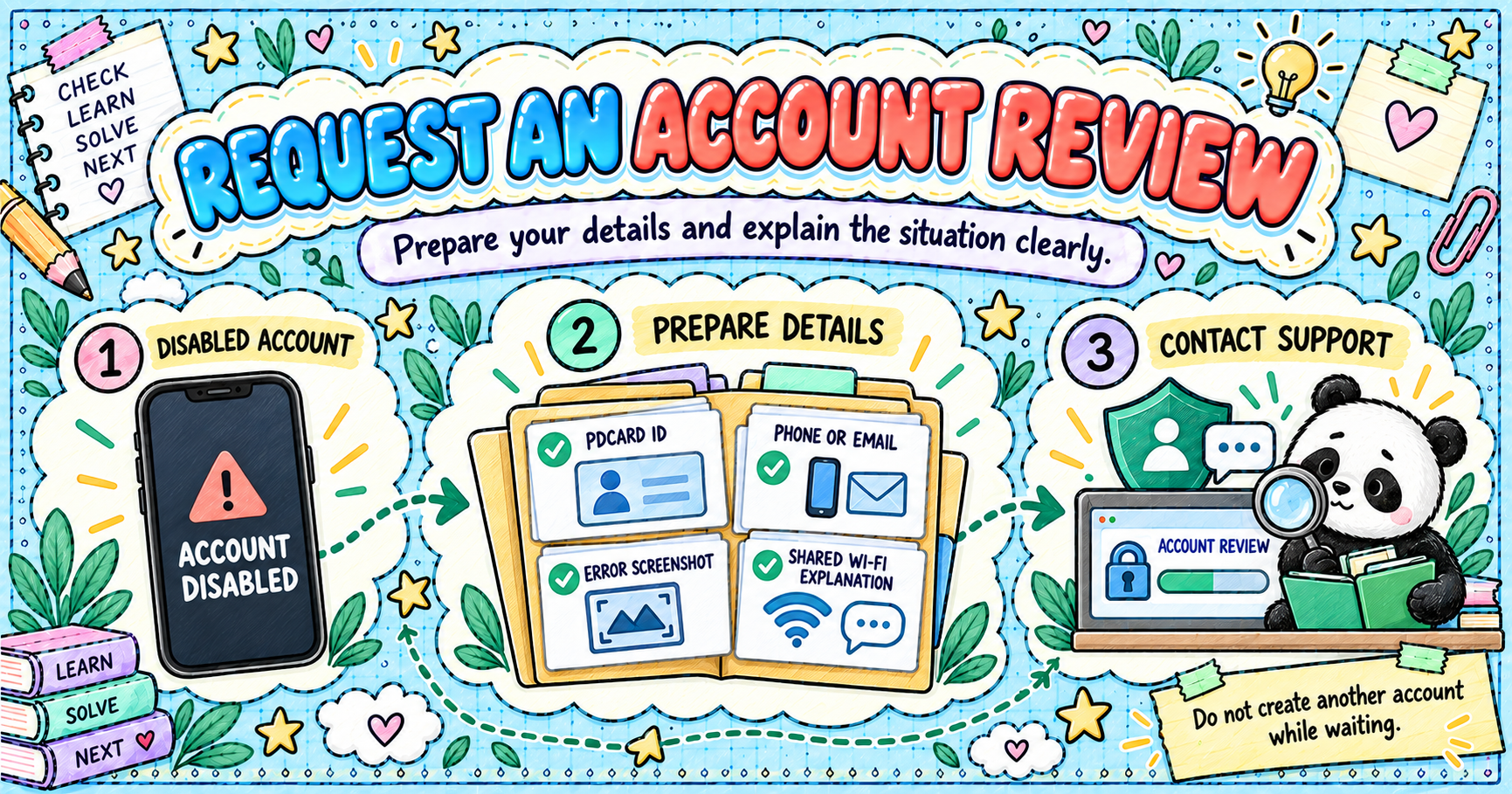
Build one complete review request.
Complete information helps Customer Service understand which account is affected and why several accounts or devices may appear connected.
What should you prepare?
If you believe the account was disabled by mistake, prepare the information below before requesting a review.
What happens next?
Customer Service may check the account information and the connected activity. You may be asked for additional details before a result is confirmed.
If the restriction was applied incorrectly or the shared-network activity has a reasonable explanation, access may be reconsidered after verification. If the review confirms multiple-account activity, cheating or reward abuse, the account may remain disabled and the related rewards may not be restored.
Account restoration depends on the review result. It should never be treated as automatic or guaranteed.
Do not open several requests with different explanations. Keep your information consistent, accurate and connected to the original account.
Continue through the account-help city
<footer class="footer-note">Use one PDCard account for yourself, keep your login details private and provide accurate information when requesting assistance.</footer>
</main>
</body>
</html>
Apple gift card trading on PDCard
If your account is disabled, contact official support about the account status before attempting to sell Apple gift cards again. The trading and rate guides explain the service but do not override account restrictions or verification requirements.
Related guides: how to sell Apple gift cards in Nigeria and Apple gift card rates and naira value.