Coins vs Naira vs VIP Points on PDCard: What’s the Difference?
Fix your withdrawal without the guesswork.
Wrong bank details, a failed request, or a bank account change can look similar. The easiest way forward is to check the first withdrawal before submitting another one.
Withdrawal overview
Check whether the request is already pending, processing, failed or completed.
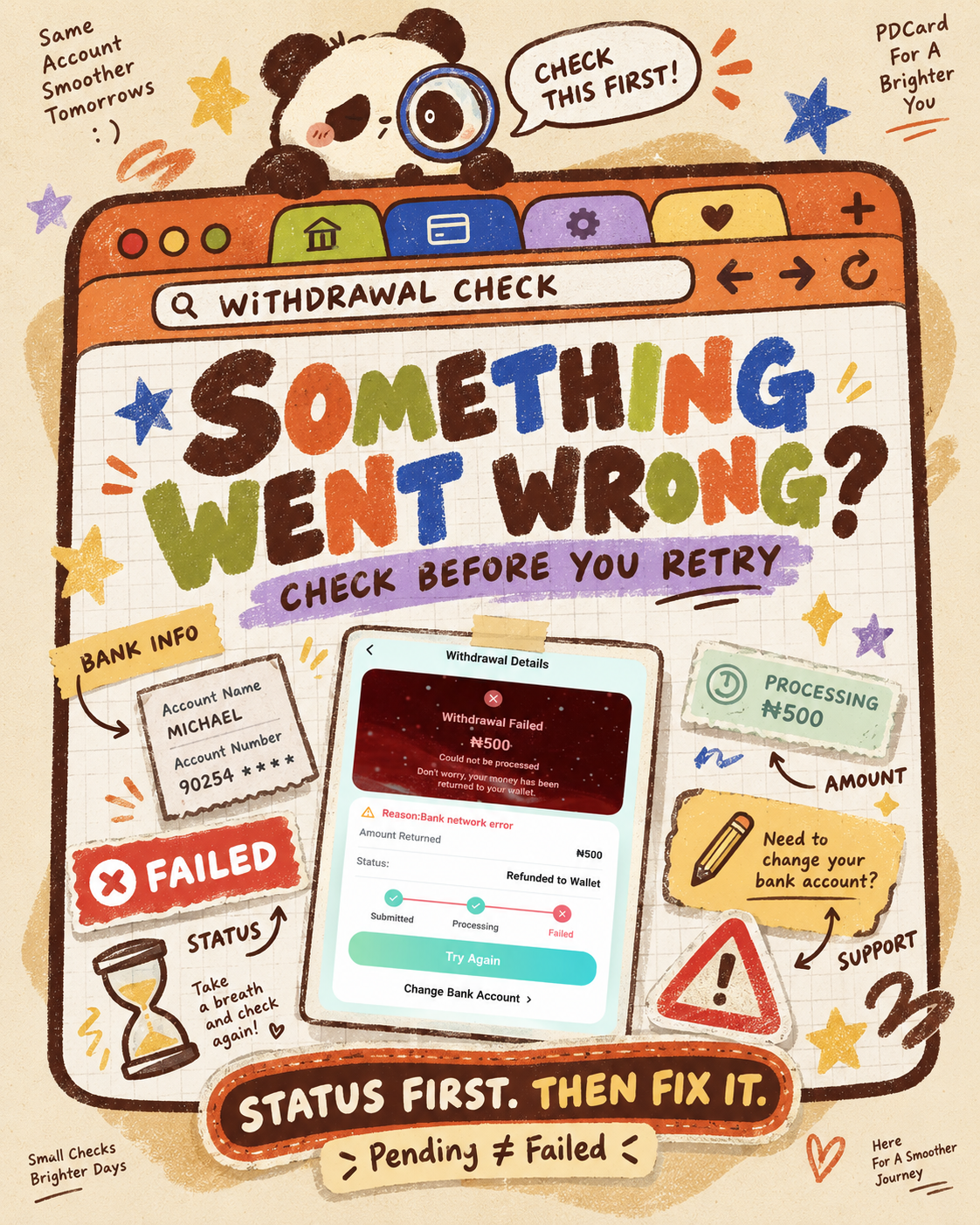
What does the withdrawal status show?
The status tells you what to do next. Avoid creating another withdrawal until you know what happened to the first one.
Pending
The request exists but has not reached a final result yet.
Processing
Let the current request finish instead of submitting duplicates.
Failed
Check bank details, amount and account instructions before retrying.
Completed
Review the receiving account and transaction record carefully.
Can’t find the transaction? Check Your Transaction History First on PDCard.
Entered the wrong bank information?
A small mistake in the receiving information can affect a withdrawal. What you should do depends on whether you noticed the mistake before or after submitting.
Need the setup guide? How to Add Bank into PDCARD?
It may not be your balance.
A sufficient Naira balance is important, but several other factors can affect whether a withdrawal is completed.
Bank details
One incorrect digit in the receiving information can matter.
Withdrawal rules
Before the first completed trade, eligible rewards may still be subject to the applicable pre-trade daily limit. After the first completed trade, the initial ₦500 daily cap is removed.
No Trade Yet? You Can Still Withdraw Rewards on PDCard [2026]
Bank or payment-channel delay
A receiving bank or payment channel can be temporarily unavailable or slower than usual.
Still processing
Money not arriving immediately does not automatically mean that the withdrawal failed.
Additional account check
If PDCard asks for more information, follow the in-app instruction or contact official support instead of repeatedly attempting the same withdrawal.
Wrong bank details ≠ failed withdrawal
Wrong bank details
The issue is the receiving information entered or saved for the withdrawal.
Failed withdrawal
The transaction did not complete successfully, but the cause may be bank details, rules, processing status or another issue.
Should you withdraw again?
Stay with the same request.
Avoid creating duplicates.
Correct the likely cause before retrying.
Check the receiving account and record.
Want the normal withdrawal steps? How to Withdraw Money from PDCard.
Five things to check
When to contact support
- Wrong bank details after submitting
- Unable to update receiving information
- Failed withdrawal with no clear reason
- Completed withdrawal still needs checking
- Transaction record does not match expectations
Use How to Contact PDCard Online Support and explain whether the withdrawal is pending, failed or completed.
FAQ
Check first. Retry second.
Keep the official PDCard app ready when you need to review your balance, transaction history or withdrawal status.
Next guides
Apple gift card trading on PDCard
When you sell Apple gift cards, the quoted trade proceeds should be distinguished from coins and VIP points. Check each balance and its current rules separately so you understand what is available for withdrawal and what belongs to a reward program.
Related guides: how to sell Apple gift cards in Nigeria and Apple gift card rates and naira value.