Gift Card Trading vs Cash Transfer on PDCard: Two Different Workflows
<>
Gift Card Trading vs Cash Transfer on PDCard: Two Different Workflows
TWO WAYS TO TRADE
WITH PDCARD
Gift Card Trading or Cash Transfer? Choose the right workflow before you start.
Two Main Transaction Workflows on PDCard
The easiest way to understand the difference is to separate transactions into two groups. If you already have a physical or digital gift card, the process usually starts with the card itself. If you want to use a supported cash transfer or payment method, the process may begin with PDCard support instead.
Gift Card Trading starts with identifying the card.
Gift card trading usually starts directly from the gift card section of the PDCard app. Before submitting a card, first identify exactly what you have: the brand, country or region, card type, denomination or balance information, physical or digital format, and any code, PIN or image the selected category requires.
Different brands may ask for different information. For the full app flow, see How to trade giftcard on PDCard.
Choose the brand that matches the card you actually have.
Compare country, region, currency, physical/digital type and denomination with the actual card.
Provide the card image, code, PIN, receipt or supporting information requested for that exact card type.
Keep the original card information available during review in case more details are requested.
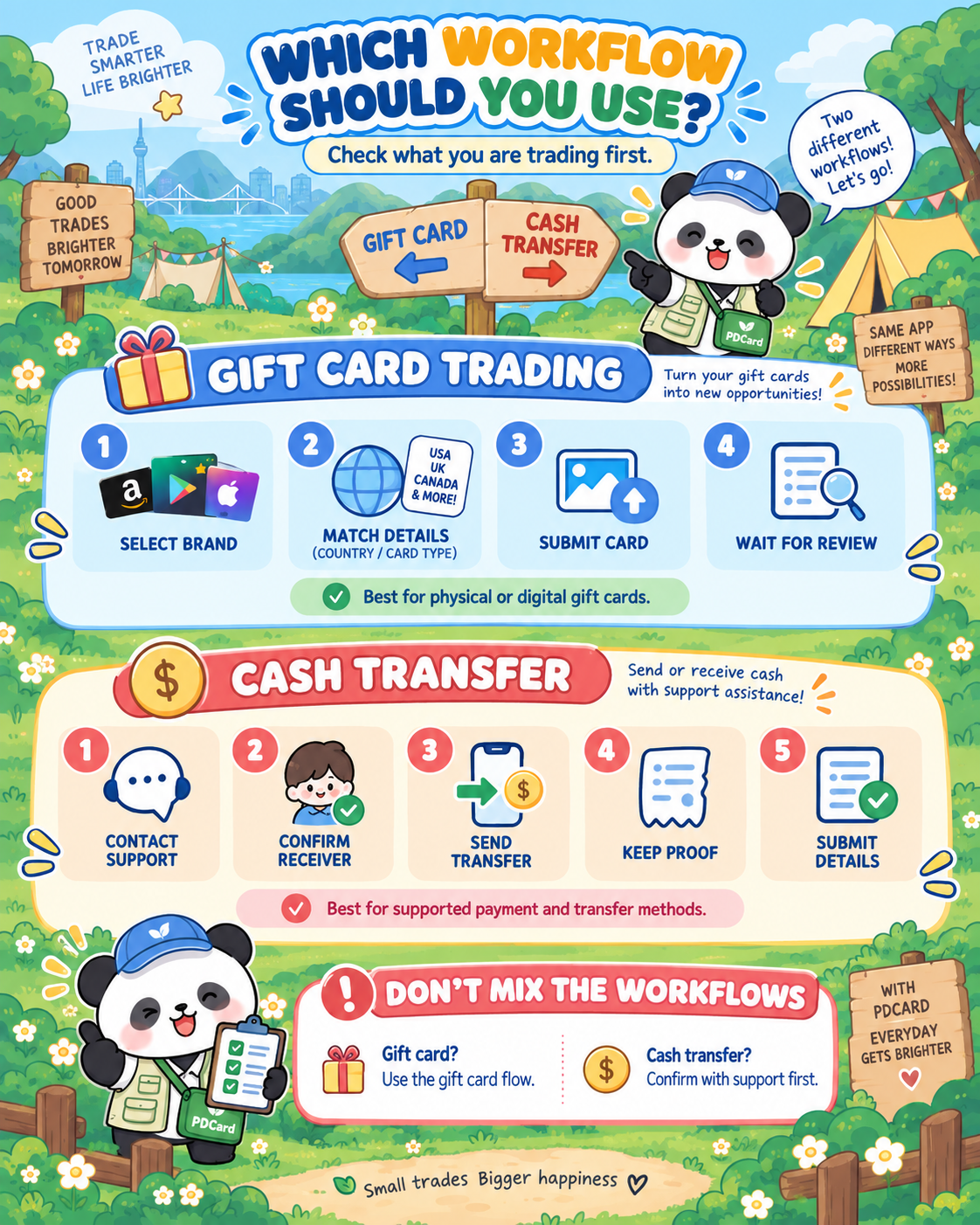
The biggest difference is what you start with.
With a gift card, you begin by identifying a product you already own. With a cash transfer, there may be no card to upload at all. Instead, the transaction can involve a sender, receiver, payment details and transfer confirmation.
Treating the two workflows as interchangeable can lead to the wrong category, outdated receiver details, missing proof or incomplete transaction information.
Cash transfers start with the payment method and support instructions.
PDCard supports different support-assisted payment and transfer methods. Confirm the current instructions before sending money.
Gift Card Trading vs Cash Transfer: The Main Difference
You start with a card.
Identify the brand, region, type and card details. Then submit through the matching gift card flow.
You start with a payment method.
Confirm the receiver or payment information, send, keep proof and provide the requested transaction details.
Mixing the workflows creates avoidable problems.
The correct workflow depends on what you are trading—not simply on the fact that both transaction types are handled through PDCard.
Quick Workflow Checklist
If You Have a Gift Card
✓ Select the correct brand
✓ Match the country or card type
✓ Check the required information
✓ Submit the card
✓ Wait for review
If You Have a Cash Transfer
✓ Contact support
✓ Confirm receiver/payment details
✓ Complete the transfer
✓ Keep the transaction proof
✓ Submit the requested details
Not sure which route fits your transaction?
If you cannot find the correct option or are unsure which workflow applies, use PDCard support before you submit or send anything.
Choose the workflow that matches what you are trading.
Gift card trading and cash transfer both use PDCard, but they begin differently. Start with the correct route so you prepare the right information before you submit or send anything.
Apple gift card trading on PDCard
To sell Apple gift cards, follow the card workflow described here rather than the cash-transfer workflow. The Apple country, format and denomination determine which quote to check before sending a card for review.
Related guides: how to sell Apple gift cards in Nigeria and Apple gift card rates and naira value.