How to Receive Money From the Philippines in Nigeria With PDCard
How to Receive Money From the Philippines in Nigeria With PDCard
Receiving money from the Philippines in Nigeria can be difficult when the sender pays in Philippine peso but the recipient needs Nigerian naira.
PDCard helps connect the payment route. After the transaction details are confirmed, PDCard provides a Philippine bank account or GCash payment details for the sender.
Once the PHP payment has arrived and been verified, PDCard applies the confirmed transaction rate and processes the recipient’s payout in NGN.
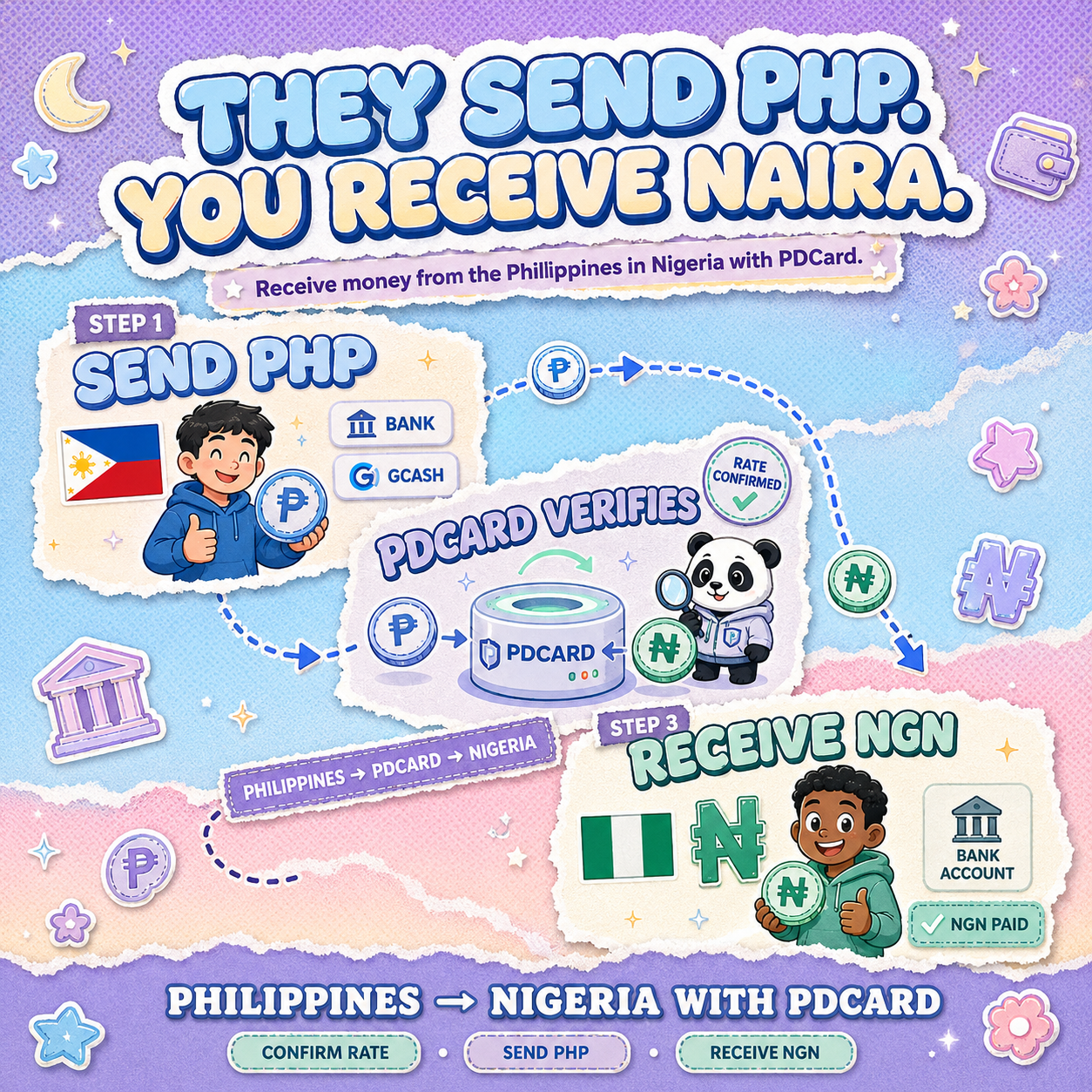
Sender pays PHP → PDCard verifies the payment → Recipient receives NGN
<figcaption style="color:#43527E;text-align:center;padding:12px 8px 4px;font-size:14px;">
The sender pays PHP in the Philippines, while the recipient receives NGN in Nigeria.
</figcaption>
1. How Does the Payment Route Work?
The sender and recipient do not need to use the same currency or payment system. The sender pays in Philippine peso, while the recipient receives Nigerian naira.
The basic process is:
- The Nigerian recipient contacts PDCard Customer Service.
- The PHP amount and expected NGN payout are confirmed.
- PDCard provides the current bank or GCash details.
- The sender transfers the agreed PHP amount.
- PDCard verifies the payment and processes the NGN payout.
Explore the payment route in the interactive guide below.
Remember: The sender pays PHP, but the recipient receives NGN after the payment has been verified.
Read How to Receive Money From 180+ Countries in Nigeria With PDCard to learn about other supported routes.
2. Confirm the PHP Amount and NGN Payout
Philippine peso and Nigerian naira have different values. Before the sender pays, both sides should confirm:
- The exact PHP amount
- The current transaction rate
- The expected NGN payout
- The available payment method
Do not use an old quote as the final amount for a new transaction. Online currency converters may show estimates, but they do not represent a confirmed PDCard transaction quote.
Important: Confirm a new quote for every transaction before the sender pays.
3. Pay Through a Philippine Bank or GCash
After confirming the PHP amount and expected NGN payout, PDCard provides one of the available payment methods:
- A Philippine bank transfer; or
- A GCash transfer.
The sender should wait for PDCard Customer Service to confirm the correct method and payment details.
Philippine bank transfer
Check the bank name, recipient information and PHP amount before approving the payment.
GCash transfer
Use only the GCash information supplied by PDCard for the current transaction.
Safe payment rule: Request the current bank or GCash details for every new transaction.
Not sure which method is available? Read How to Contact PDCard Online Support.
4. Complete the Transfer Step by Step
Step 1: Contact Customer Service
Tell PDCard that the sender is in the Philippines and the recipient wants to receive NGN in Nigeria.
Step 2: Confirm the Transaction
Check the PHP amount, current rate, expected NGN payout and available payment method.
Step 3: Receive the Payment Details
PDCard provides the current Philippine bank account or GCash information for the transaction.
Step 4: Transfer the PHP Amount
The sender checks the account information and transfers the exact PHP amount that was confirmed.
Step 5: Submit the Payment Receipt
Keep a clear receipt showing the amount, payment status, date, time and transaction reference.
Step 6: Wait for Verification
PDCard checks whether the PHP payment has arrived. Do not pay again while the first transfer is being verified.
Step 7: Confirm the NGN Payout
The recipient checks their Nigerian account and confirms that the naira payout has arrived.
Correct order:
Contact → Confirm → Receive current details → Pay PHP → Verify → Receive NGN
5. Payment Mistakes to Avoid
Using old payment details
Do not reuse a previous bank account or GCash number unless PDCard confirms it for the new transaction.
Sending the wrong PHP amount
If the amount changes, contact Customer Service and request an updated quote before paying.
Submitting an incomplete receipt
Keep a complete record showing the amount, payment status, date, time and transaction reference.
Treating a screenshot as final proof
A screenshot may show an attempted transfer, but it does not prove that the payment reached PDCard.
Paying twice during verification
Do not send another payment unless PDCard Customer Service clearly confirms that it is required.
Learn more in Fake Alert: Why a Payment Screenshot Is Not Enough.
Keep private: Never share a password, OTP, bank PIN, security code or app login information.
Frequently Asked Questions
Can someone in the Philippines send money to Nigeria through PDCard?
Contact PDCard Customer Service to check the available route. When supported, PDCard supplies the current Philippine payment details.
Can the sender use GCash?
Yes, when PDCard confirms GCash as the available method and provides the current account information.
Can the sender use a Philippine bank transfer?
Yes, when PDCard provides the appropriate Philippine bank details for the current transaction.
Does the Nigerian recipient receive PHP?
No. The sender pays PHP, while the Nigerian recipient receives the converted payout in NGN.
Can an online PHP-to-NGN rate be used?
An online converter may provide an estimate, but it is not the confirmed PDCard transaction quote.
Is a payment screenshot enough?
A screenshot can support verification, but wait until PDCard confirms that the payment has arrived.
Receive PHP and Get Paid in NGN
A successful Philippines-to-Nigeria transaction begins with confirming the correct payment route.
The sender should transfer only after the PHP amount, expected NGN payout and current payment details have been confirmed.
Ready to receive money from the Philippines?
Open PDCard and contact Customer Service before the sender pays.
Apple gift card trading on PDCard
Receiving a transfer from the Philippines is different from selling a gift card received from someone there. If you want to sell Apple gift cards, identify the card’s actual issuing country before checking the available Apple quote.
Related guides: how to sell Apple gift cards in Nigeria and Apple gift card rates and naira value.