Fake Alert: Why Payment Screenshot Is Not Enough
Fake Alert: Why Payment Screenshot Is Not Enough
A “payment successful” screenshot can look real, but it should not be the only proof you trust.
When trading gift cards, some people may send a transfer screenshot and claim that payment has already been made. The image may look convincing, but a screenshot is not the same as confirmed money in your account.
Before you trust any payment proof, always check your actual account balance first. If the money has not entered your account, the payment is not confirmed yet.
What Is a Fake Alert?
A fake alert is when someone makes it look like they have sent money, even though the money has not really arrived in your account.
This can happen through:
- Edited payment screenshots
- Fake bank alerts
- Delayed or unconfirmed transfers
- Pressure messages asking you to release the card quickly
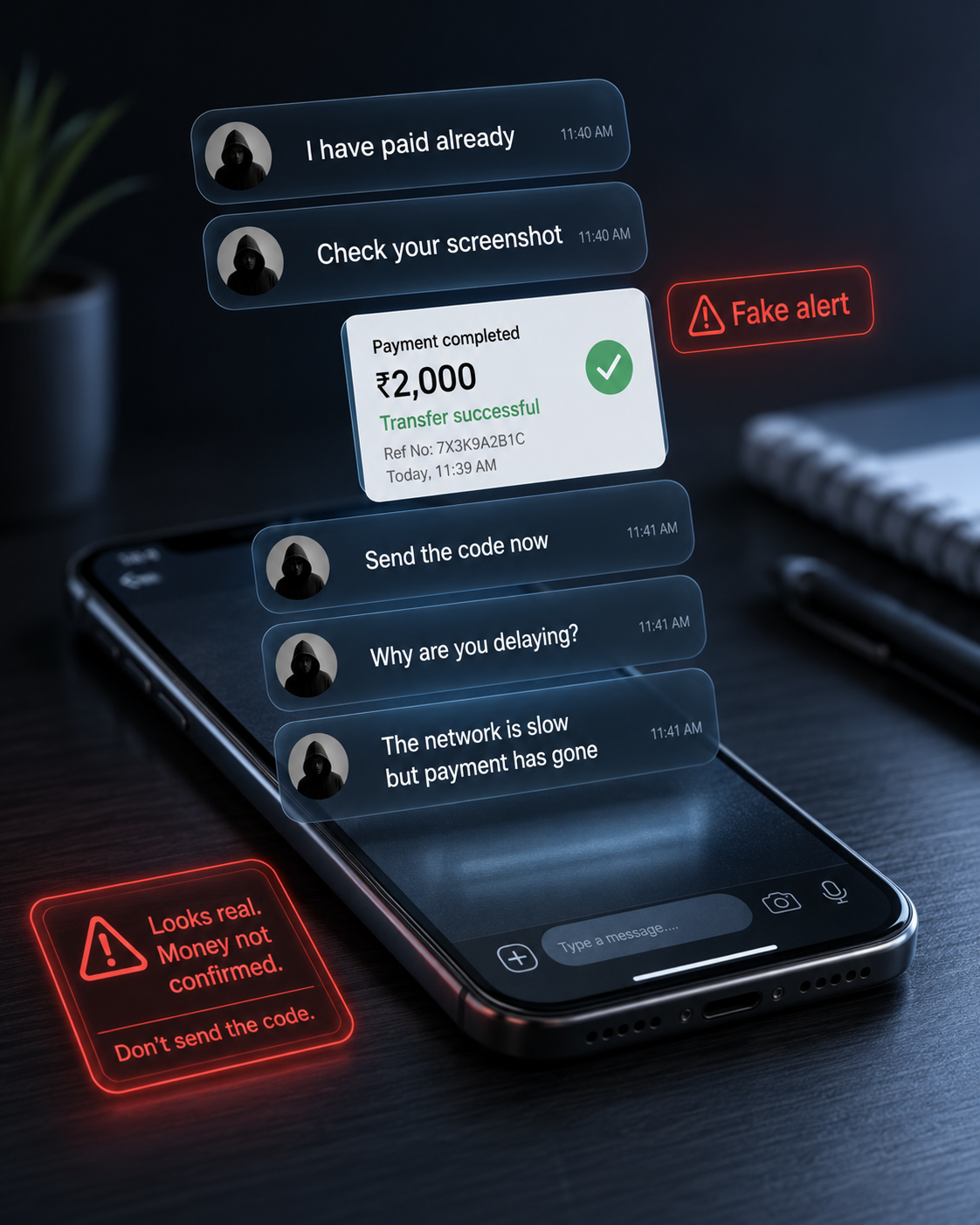
- Claims like “I have paid, check your message”
A fake alert may look real at first, especially when the screenshot shows “successful” or “completed.” But the real proof is your confirmed balance.
Why Payment Screenshots Are Not Enough
A screenshot can be edited. A notification can be misleading. A message can be faked.
That is why you should not rely only on what someone sends you. If you are trading a gift card, the safest step is to confirm the money directly from your bank account or official account balance.
If the money is not there, do not assume the payment is complete.
Always Confirm Your Balance First
Before you release any gift card details, check your balance properly.
Make sure:
- The money has entered your account
- The amount is correct
- The sender details make sense
- The transaction is not only shown as pending
- You are checking from your real bank app or official account channel
If you are not sure, wait and confirm again. Do not let anyone rush you.
Do Not Let Anyone Pressure You
Scammers often try to create urgency. They may say things like:
- “I have paid already.”
- “Send the code now.”
- “Why are you delaying?”
- “Check your SMS.”
- “The network is slow, but payment has gone.”
These messages are meant to make you act quickly without confirming properly.
When money is involved, take your time. A real payment should reflect in your account. If it does not, you should not continue based only on pressure.
How to Trade More Carefully
To reduce the risk of fake alert issues, always follow a clearer process.
Before completing any trade, check:
- The payment status
- Your actual account balance
- The amount received
- The platform or channel being used
- Whether the transaction has been properly confirmed
Do not release sensitive gift card details until you are sure the payment is real.
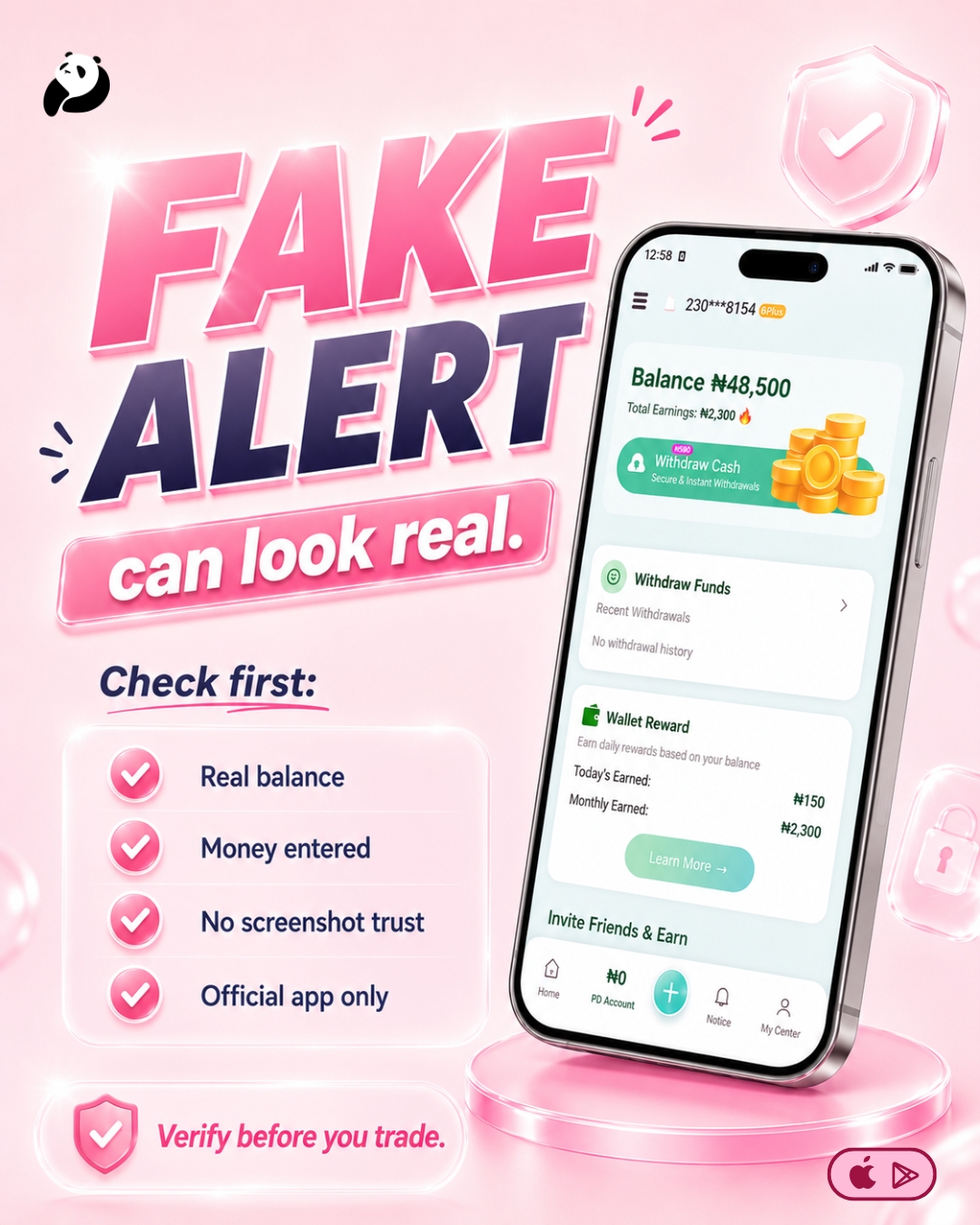
How PDCard Helps Users Trade With More Clarity
PDCard gives users a more organized way to trade gift cards instead of depending on random screenshots, unclear messages, or rushed conversations.
Users can submit gift card details, follow the review process, and trade through the official PDCard app. This helps make the process easier to understand and reduces confusion around payment and trade status.
When trading gift cards, clarity matters. Do not trust only what looks real. Confirm what is real.
FAQ
Is a payment screenshot enough proof?
No. A payment screenshot is not enough proof by itself. You should confirm that the money has entered your account before trusting the payment.
What is the real proof of payment?
The real proof is your confirmed account balance. If the money has not reflected in your account, the payment is not fully confirmed.
Can fake alerts look real?
Yes. Fake alerts can look convincing. Some screenshots or notifications may appear real, but they can still be edited, delayed, or misleading.
What should I do if someone rushes me after sending a screenshot?
Do not rush. Check your balance first. If the money is not confirmed, do not release your gift card details.
How can I avoid fake alert problems?
Use official channels, confirm your balance, avoid rushed trades, and never depend only on screenshots as proof of payment.
Confirm Money Before You Trade
A “payment successful” screenshot may look real, but your account balance is the real proof.
Before you trust any transfer proof, check your account, confirm the money, and do not let anyone rush you.
Fake alert can look real. Confirm money before you trade.
Article Summary
Payment screenshots can look real, but they are not enough proof when trading gift cards. A fake alert may use edited screenshots, fake notifications, or pressure messages to make users release card details too quickly. Before trusting any payment proof, users should check their real account balance, confirm the money, and avoid rushed trades. PDCard helps users trade through a clearer and more organized process.
Apple gift card trading on PDCard
If you sell Apple gift cards, check the order and balance through the official app rather than relying only on a payment screenshot. Use the relevant transaction reference when asking support to investigate a claimed payment.
Related guides: how to sell Apple gift cards in Nigeria and Apple gift card rates and naira value.