Razer Gold PIN vs Serial Number: Which One Is the Code?
A Razer Gold Gift Card can show several different numbers on the back. The important part is knowing which one actually unlocks the card value.
A Razer Gold Gift Card can show several different numbers on the back of the card. This is where many users get confused.
You may see a PIN, a serial number, and a barcode on the same card. They can all look important, but they do not serve the same purpose.
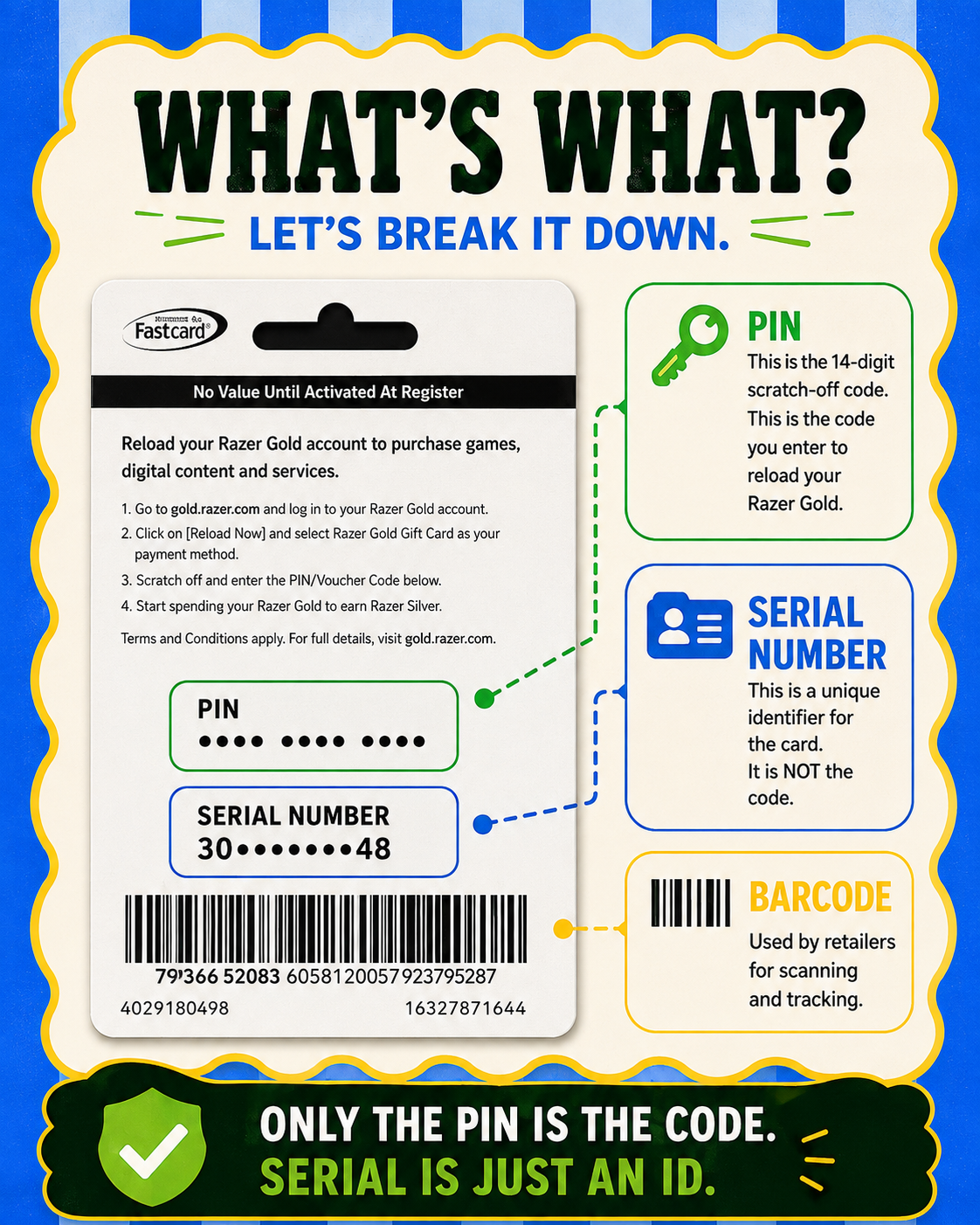
The PIN is the code used for redemption. The serial number is not the redemption code.
This difference also matters when you submit a Razer Gold Gift Card for trading. If your card is rejected or the submitted code is not accepted, one of the first things to check is whether you entered the actual PIN instead of the serial number or barcode.
What Is the Razer Gold PIN?
The Razer Gold PIN is the code connected to the value of the gift card.
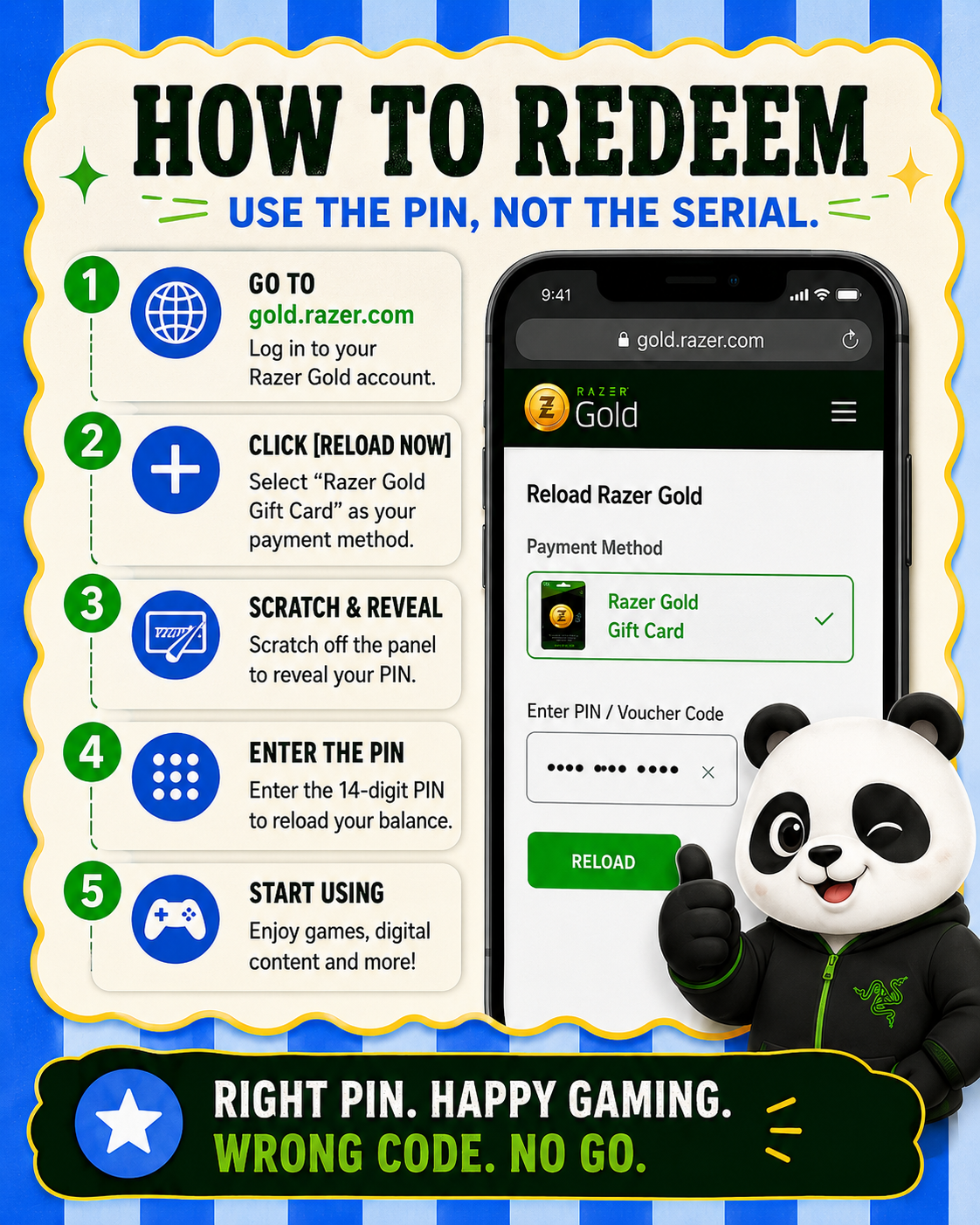
On many physical Razer Gold cards, the PIN is hidden under a scratch-off panel. After carefully removing the protective layer, you can reveal the code.
Used for redemption
May be hidden under a panel
Use it when the process asks for the code
Keep the PIN protected
Identify it correctly before submitting
For the card format shown in this guide, the PIN is a 14-digit code. If several numbers appear on the back of the card, do not automatically choose the longest or most visible number. Look specifically for the section labeled PIN.
What Is the Serial Number?
The serial number is an identifier associated with the gift card. It helps distinguish one card from another, but it is not the code used to access the card value.
What About the Barcode?
The barcode is another separate part of the card. It is generally used by retailers for scanning, checkout, inventory, or card tracking.
The numbers printed around or underneath the barcode are not automatically the redemption PIN.
This means a Razer Gold Gift Card may contain three different pieces of information, and they should not be used interchangeably.
Why Is It Easy to Mix Up the PIN and Serial Number?
The back of a physical gift card can contain several number strings in a small area.
The serial number may already be visible while the PIN remains hidden under a scratch panel. Because of this, some users assume the visible number must be the code.
- Entering the serial number instead of the PIN
- Entering numbers printed underneath the barcode
- Copying only part of the PIN
- Typing one or more PIN digits incorrectly
- Adding spaces that are not part of the code
- Guessing digits that are scratched or difficult to read
Before submitting any number, check the label beside it. If a PIN or Voucher Code is requested, make sure the number you provide is actually the PIN.
Card Rejected? Check the Code Again First
If your Razer Gold Gift Card is rejected during submission, do not immediately assume that the card itself is invalid.
One of the first things you should check is the code you entered.
Make sure you did not accidentally submit the serial number.
Check that the full PIN was copied correctly.
Make sure numbers from the barcode were not entered as the code.
Check whether any digits are scratched, damaged, blurry, or difficult to read.
Make sure the required card information is clear and readable.
A valid gift card can still run into problems when the wrong number is submitted.
If the card is rejected, compare the code you submitted with the physical card carefully before making another submission.
Do not repeatedly guess missing digits or submit different numbers simply to test which one works.
Common Razer Gold Code Mistakes to Avoid
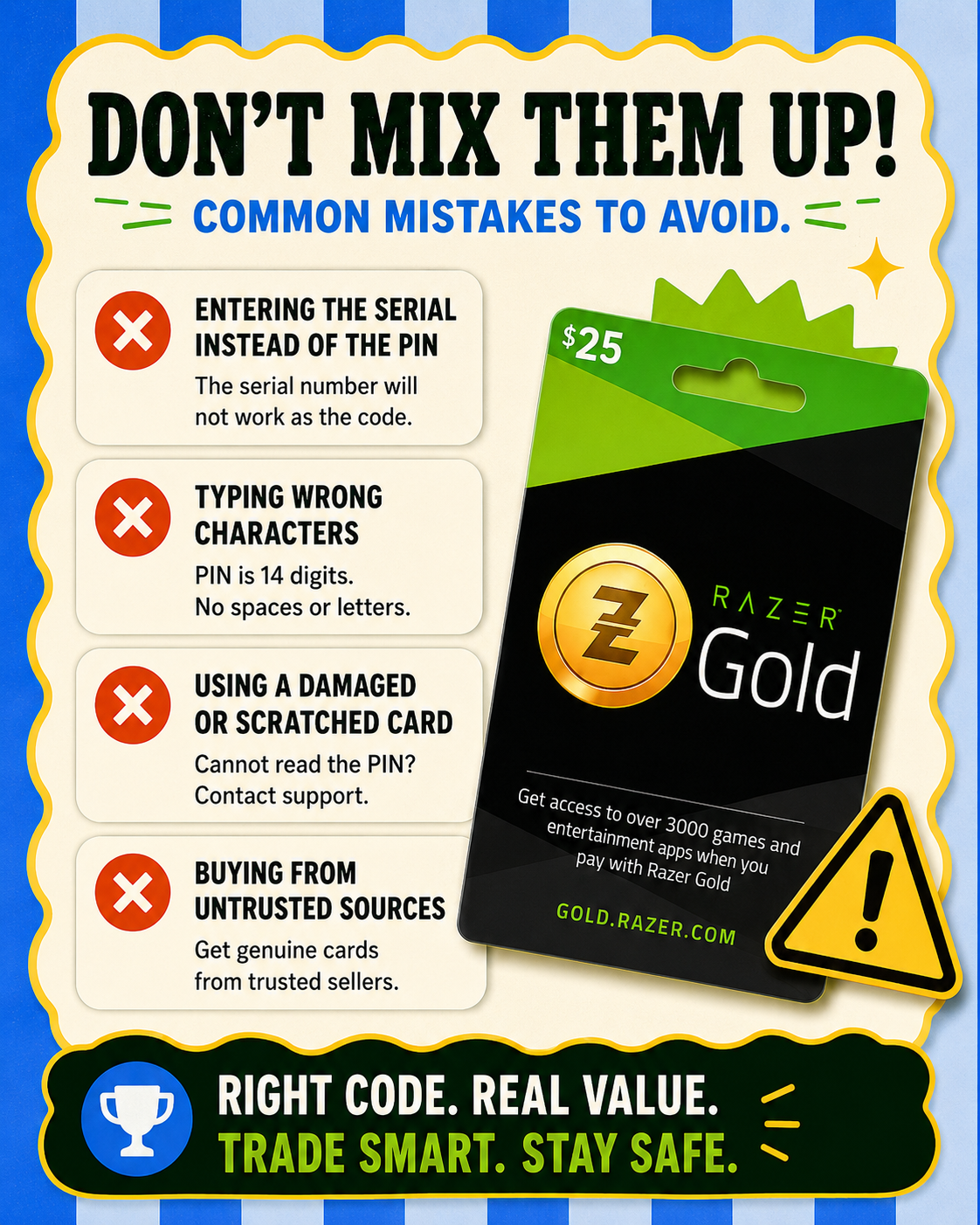
Entering the Serial Number Instead of the PIN
This is one of the easiest mistakes to make. The serial number identifies the card, but it does not replace the PIN. If your submission is rejected, check this first.
Typing the Wrong Digits
Even one incorrect digit can make the submitted code different from the actual PIN. Zoom in on the card and compare every digit carefully before submitting.
Using the Barcode Number
The barcode is used for a different purpose. Do not copy the long number underneath it when the process specifically asks for a PIN or card code.
Damaging the Scratch-Off Area
Scratch the protective panel gently. Scratching too aggressively can damage the printed digits and make the PIN difficult to read. If part becomes unreadable, avoid guessing.
Submitting an Unclear Image
Even when the correct PIN is entered, a blurry, cropped, dark, or reflective card image may make verification more difficult. Make sure the required areas are visible and readable.
What If the PIN Is Difficult to Read?
If part of the PIN is scratched off, blurry, or damaged, do not keep guessing different combinations.
- Keep the original gift card
- Keep the purchase receipt if available
- Check the PIN under better lighting
- Take a clear photo of the card
- Do not expose the complete PIN publicly
- Use the appropriate official support process if the code cannot be confirmed
What Should You Check Before Trading a Razer Gold Gift Card?
Before submitting the card on PDCard, review the card information carefully.
This final code check is especially important. If the card is later rejected, return to the original card and compare the submitted code with the actual PIN before assuming there is another problem.
How to Trade Your Gift Card on PDCard
If you have identified the correct Razer Gold PIN and want to submit your card for trading, make sure the brand, region, denomination, card type, and required images all match the actual card.
How to trade giftcard on PDCard →Keep the PIN Private
The Razer Gold PIN is sensitive because it is connected to the value of the card.
- Do not post the complete PIN publicly
- Do not send it to unknown traders
- Do not share it in public groups
- Do not expose it unnecessarily in screenshots
The serial number may identify the card, but the PIN is the important redemption credential.
Know the Difference Before You Submit
A Razer Gold Gift Card may display several numbers, but they have different purposes.
The code you need.
Identifies the card.
Supports retail scanning and tracking.
If your Razer Gold Gift Card is rejected, check the submitted code carefully first. Make sure you entered the actual PIN, copied every digit correctly, and did not accidentally use the serial number or barcode.
A small code mistake can make a valid card appear to have a bigger problem. Check the PIN carefully before taking the next step.
Download PDCard
Use the PDCard app to check available gift card information, select the appropriate card category, submit your gift card, and follow your transaction status.
Get Official PDCard Updates
For official announcements, gift card trading information, and community updates, use the official PDCard community channels.
Apple gift card trading on PDCard
Razer PIN and serial-number guidance does not identify an Apple redemption code. If you also sell Apple gift cards, use the Apple-specific guide below and follow the selected category’s submission requirements.
Related guides: how to sell Apple gift cards in Nigeria and Apple gift card rates and naira value.