Why Can an Amazon Gift Card With a Receipt Have a Different Rate?
The card shows what you have. The receipt adds the purchase context behind it.
See how the card and receipt work together.
Explore the receipt details, compare matching purchase evidence, and review the factors that can affect evaluation. The full article continues below.
Prefer the full-screen version? Open the Visual Guide →
Two Amazon Gift Cards can show the same face value, come from the same region, and look almost identical, yet the available trading rate may still be different.
One important reason is the purchase receipt.
The gift card tells you what card you have. The receipt adds information about where, when, and how the card was purchased. That extra context can help with verification and may place the card in a different trading category.
However, a receipt does not automatically guarantee a higher rate. The available result can still depend on the card type, region, denomination, receipt quality, verification requirements, and current market conditions.
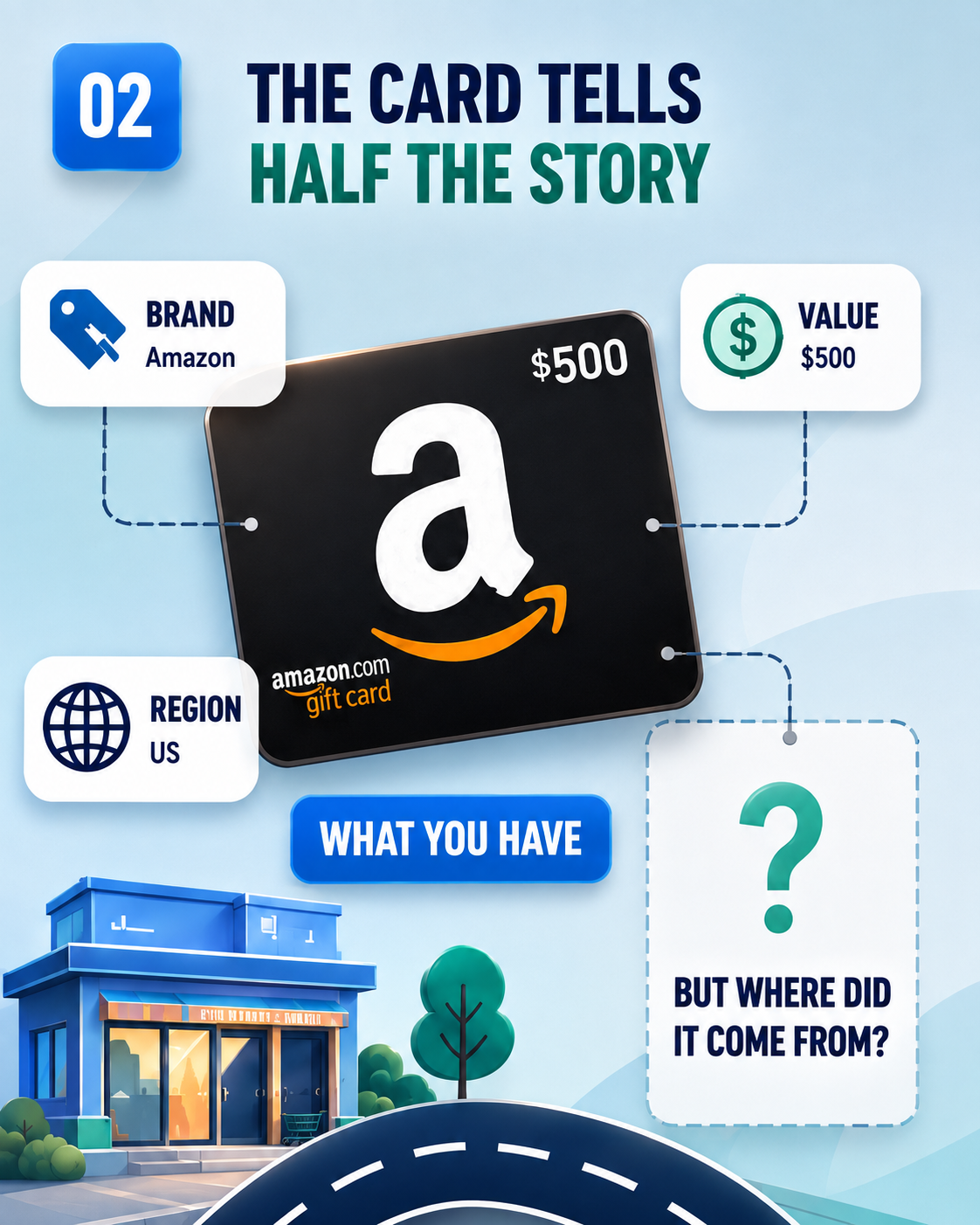
The Gift Card Tells Only Half the Story
An Amazon Gift Card itself can provide several important details about the card you want to trade.
- Brand: Amazon
- Face value
- Country or region
- Physical card format
- Card or claim-code information
These details help identify what you have, but the card alone may not explain the complete purchase history.
For example, it may not clearly show where the card was purchased, when the purchase took place, how much was paid, or whether the transaction can be connected to a specific retailer record.
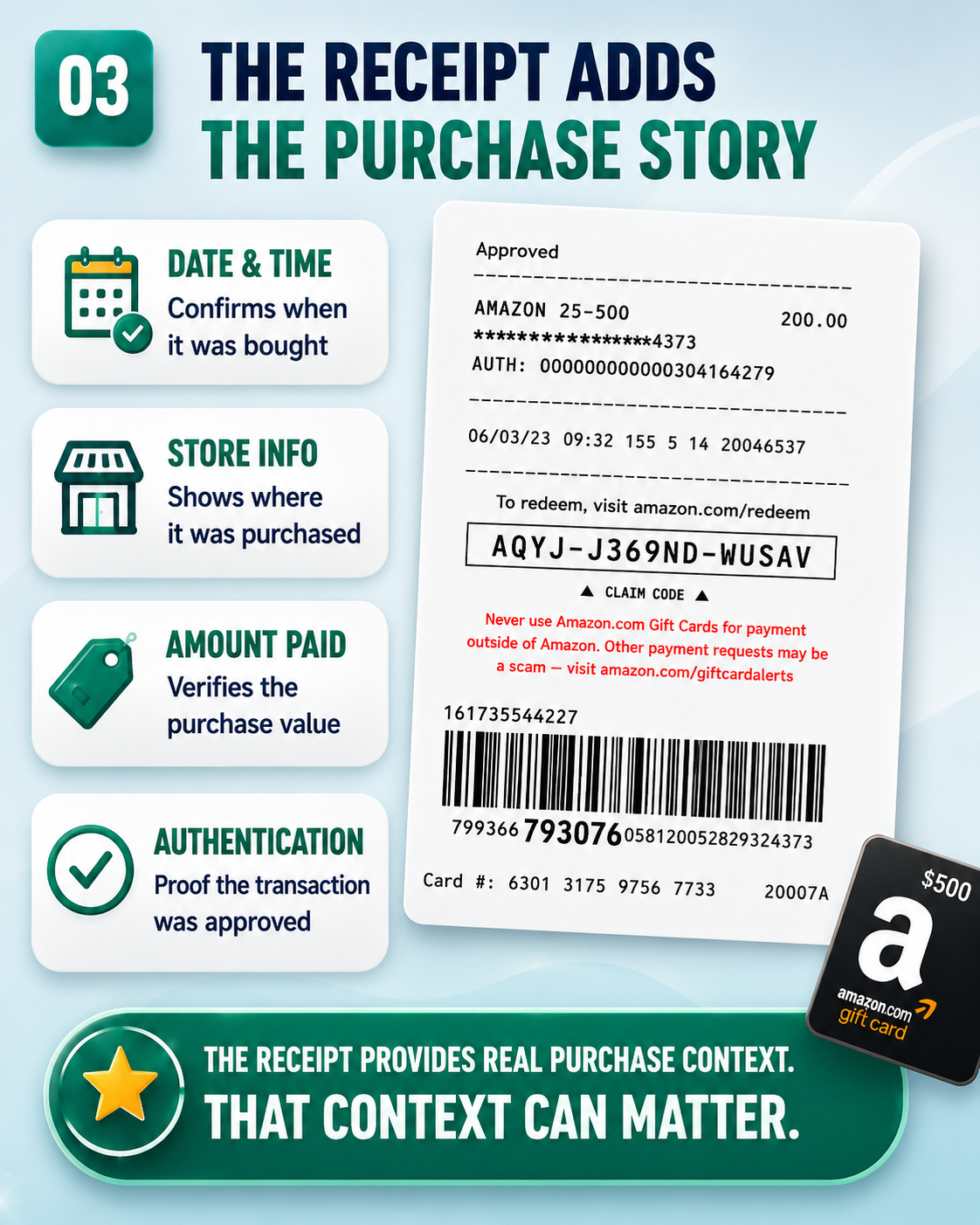
More Than a Piece of Paper
A complete receipt can add purchase information that may not be visible on the gift card itself.
Purchase Date & Time
The receipt may show when the Amazon Gift Card was purchased. This helps connect the card to a specific transaction.
Store Information
The retailer or purchase location shown on the receipt provides additional context about where the card came from.
Amount Paid
The receipt may show the amount connected to the gift card purchase. This can be compared with the denomination of the submitted card.
Transaction Information
Some receipts contain authorization numbers, transaction references, card references, or other purchase information that may help support verification.
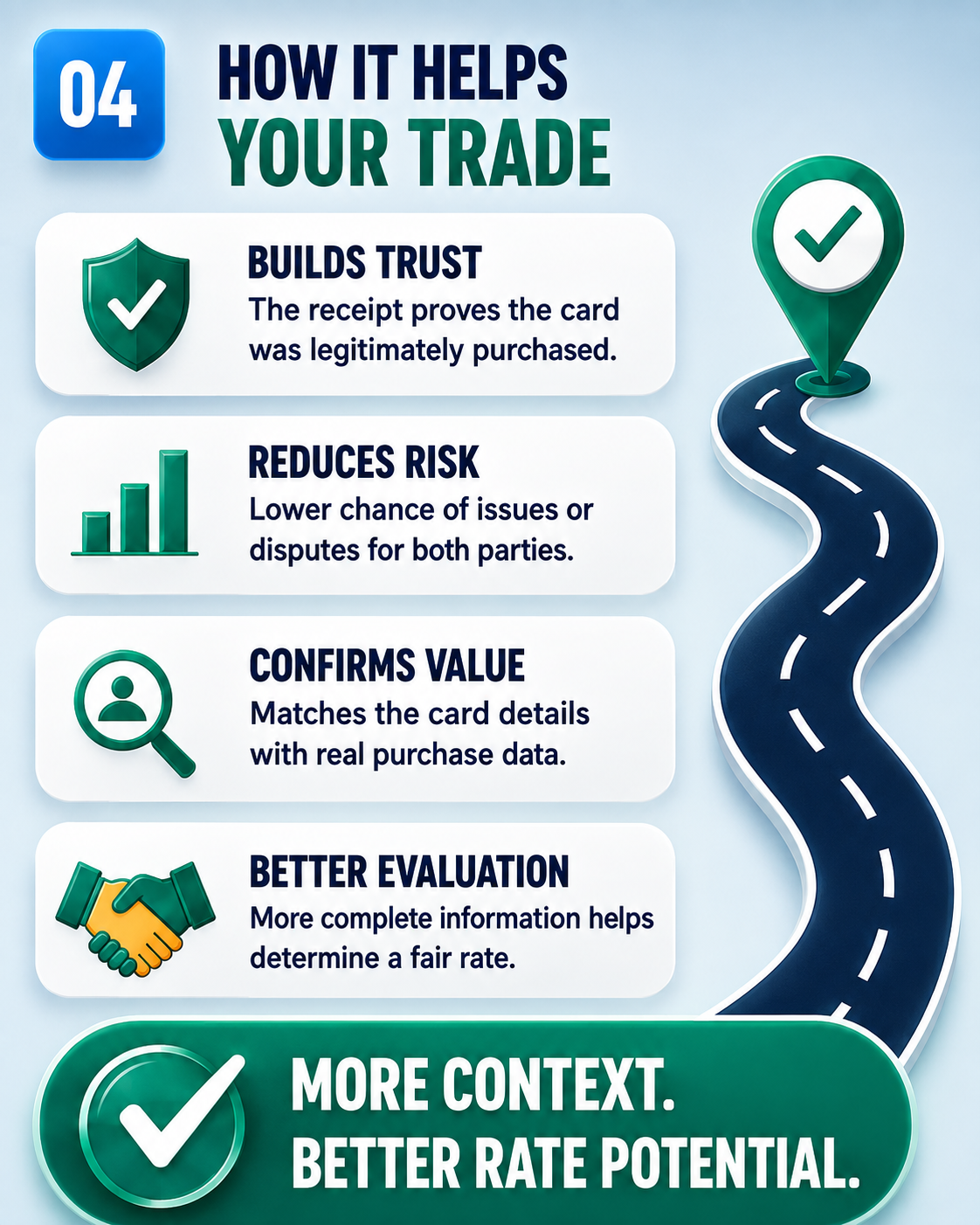
Why Can the Receipt Affect the Available Rate?
Gift card trading rates are not determined by face value alone.
The available trading result may depend on several details, including the gift card brand, region, denomination, card type, current market demand, purchase source, receipt availability, and the completeness of the submitted information.
When receipt information is relevant to a trading category, a clear matching receipt may provide more context for verification and may correspond with a different available rate.
Same Amazon Card, Different Submission Context
Consider two Amazon Gift Cards with the same face value. The number on the card can match while the supporting information does not.
More Complete Context
Clear Amazon card images, correct category, denomination, and a complete matching receipt.
Less Purchase Context
Similar Amazon card and denomination, but no receipt or incomplete purchase information.
The face value may be the same, but the amount of information available for verification is different. This is why two cards should not be compared only by the number printed on the front.
From Purchase Context to Evaluation
The review may also include the retailer, purchase date, transaction amount, and other purchase details.
Card information can be compared with the receipt when brand, amount, and purchase information are consistent.
Supporting information may reduce questions about the card’s purchase source or whether the receipt belongs to the submitted card.
When PDCard has separate categories for cards with and without receipts, complete purchase information may affect which category and available rate apply.
A Receipt Does Not Automatically Guarantee a Higher Rate
Having a receipt does not mean every Amazon Gift Card will automatically receive a better rate.
- Amazon card region
- Card denomination
- Physical card type
- Receipt type and quality
- Whether the receipt matches the card
- Current market demand
- The currently available PDCard category
- Other verification requirements
Rates can also change over time. Always check the current available rate instead of assuming that a receipt guarantees a specific payout.
What Makes a Useful Amazon Gift Card Receipt?
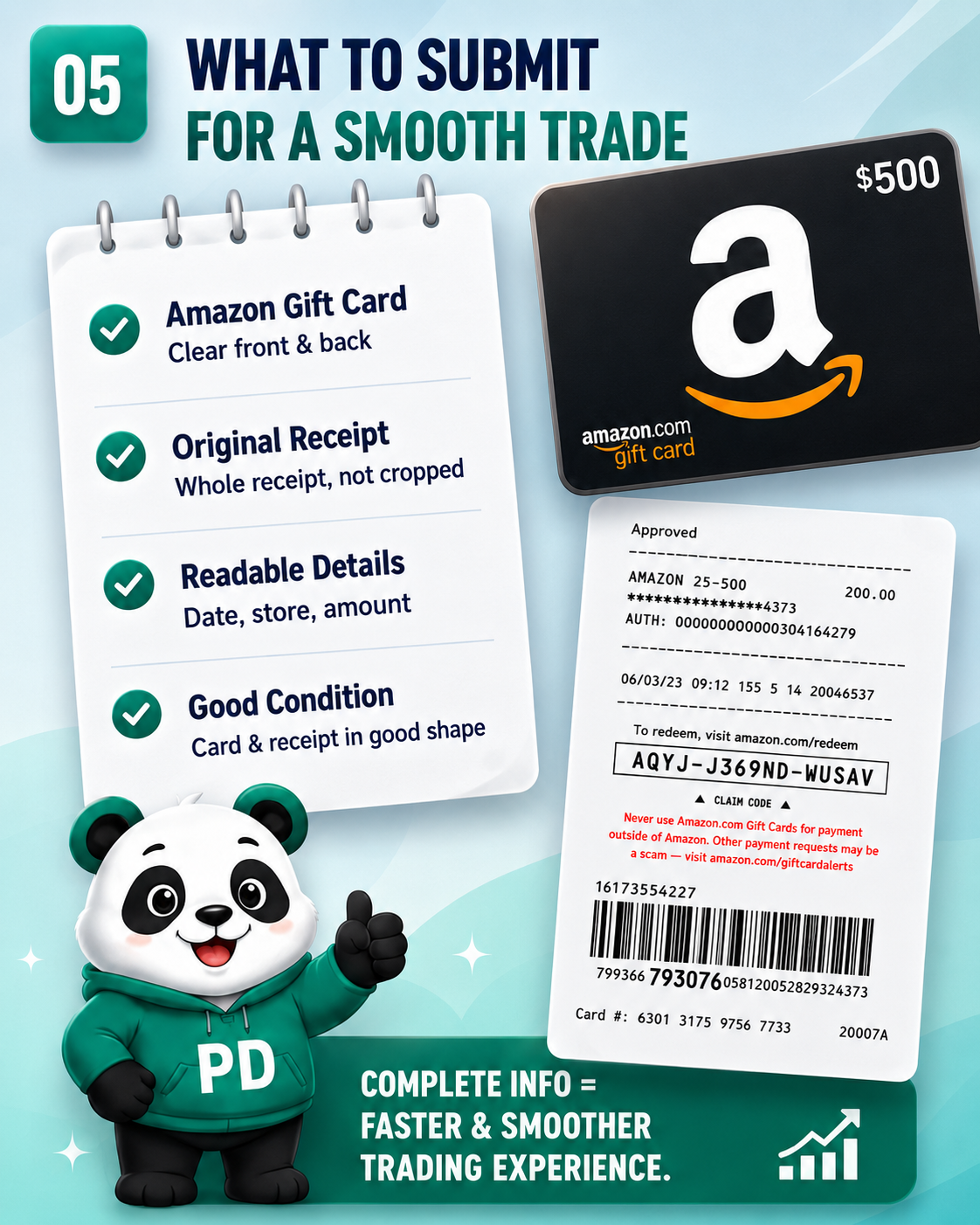
When a receipt is required or relevant to the selected category, submit a clear and complete image.
- Store or retailer name
- Purchase date
- Purchase time, when available
- Gift card amount
- Transaction information
- Relevant purchase reference
- Other information required for that card category
Avoid cropping the receipt so tightly that useful purchase information disappears.
Does the Receipt Match the Card?
Use the receipt only when it actually belongs to the Amazon Gift Card being submitted.
Match & Verify
- The gift card brand
- The card amount
- The purchase date
- The retailer information
- The transaction details
- Any available card or purchase reference
Choose the receipt-based category only when the supporting information belongs to the submitted card.
Do Not Select “With Receipt”
- You do not have the relevant receipt
- The receipt belongs to another card
- The receipt is unrelated to the submitted purchase
- The card information does not match the receipt
Correct category selection matters more than trying to choose a category based only on the displayed rate.
Remember: Do not submit a receipt from another Amazon Gift Card simply because the denomination looks similar. Mismatched purchase information may create additional questions during review.
What to Submit
Keep the required card details visible, readable, and free from strong glare.
Submit the complete matching receipt when it is relevant to the selected category.
Make sure the retailer, date, amount, and relevant transaction information can be read.
Confirm the Amazon card region, denomination, card type, and receipt option before submitting.
Check the Available Rate Before You Trade
Gift card rates can change. Check the current information in PDCard before every submission rather than relying on an old rate screenshot or a previous trade.
How to Trade Your Gift Card on PDCard
If you are new to PDCard and need help with the complete submission process, continue with the guide below.
The guide explains how to select a gift card, enter the required information, submit the trade, and follow the transaction.
Trading More Than Amazon Gift Cards?
PDCard supports different gift card categories, so the details and requirements may vary between Amazon, Apple, Steam, and other supported cards.
Use the app for current trading information, and join the official community channels for PDCard announcements.
More Context Can Matter
An Amazon Gift Card shows the basic card information. A matching receipt adds the purchase record behind that card.
Together, they may provide more context for verification and may affect the available trading category or rate.
The important point is not simply “receipt means higher rate.” The card, purchase record, category, and current market conditions all matter.
Before submitting, check the card details, keep the original receipt, make sure the information matches, and review the current available rate on PDCard.
Apple gift card trading on PDCard
Receipt requirements may differ between brands and categories. When you sell Apple gift cards, check the Apple category’s own receipt conditions and quote rather than assuming an Amazon receipt rule applies.
Related guides: how to sell Apple gift cards in Nigeria and Apple gift card rates and naira value.