Apple Gift Card Not Activated? What It Means and What to Do
If the interactive guide does not appear, open the full visual guide.
Resolve activation before checking a sale quote
Keep the original card and receipt while the activation issue is investigated. After the issue is resolved, use the card’s actual country, category and value to check the Apple rate; an attractive quote cannot activate an unactivated card.
Sell Apple gift cards in Nigeria: trading and bulk guide · Apple payouts for US$100, US$200 and US$500 by card type. Confirm the correct category and current app quote before submission.
A readable gift card code does not always confirm that the card completed activation at checkout.
Jump to a Section
An Apple Gift Card can look completely normal, have a readable code, and still fail when you try to redeem it.
In some cases, the issue is not the code itself. The card may not have completed activation correctly when it was purchased.
That is why a readable code does not automatically mean confirmed activation. If your Apple Gift Card appears valid but cannot be redeemed, the purchase and activation record are important places to check.
What Does “Apple Gift Card Not Activated” Mean?
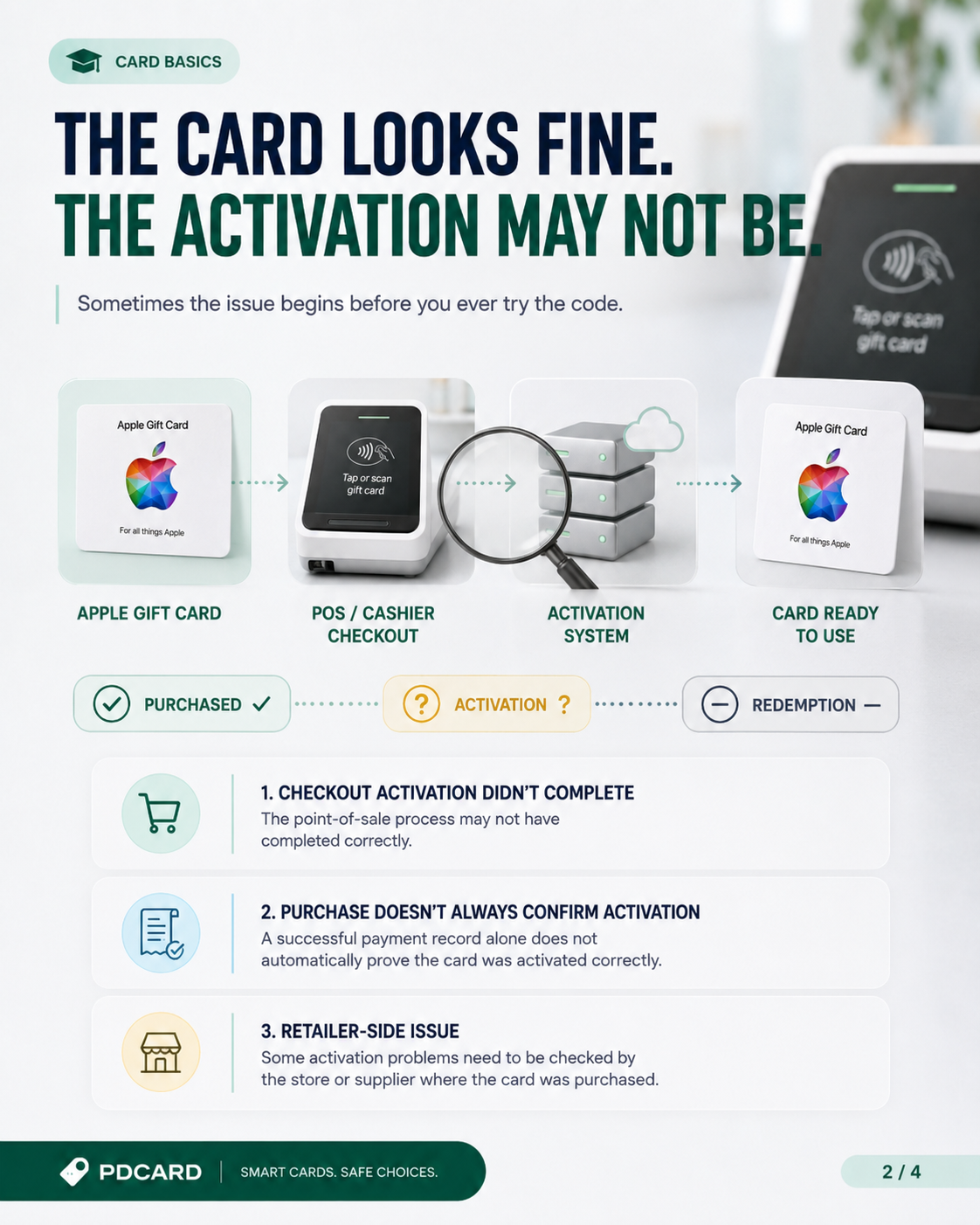
A physical Apple Gift Card usually goes through a checkout and activation process before it is ready to use.
If the activation step does not complete correctly, the physical card may still exist and the redemption code may remain readable, but the card may not yet be recognized as ready for use.
Why Can an Apple Gift Card Have an Activation Problem?
1. Checkout Activation Did Not Complete
A physical gift card may need to be activated as part of the retailer’s checkout process. If that process is interrupted or does not complete correctly, the customer may leave the store with the physical card while the activation status still needs attention.
This means the problem may have started before you ever tried to redeem the code.
2. A Successful Purchase Does Not Always Confirm Activation
A payment receipt confirms that a purchase transaction took place, but it should not automatically be treated as proof that every activation step completed successfully.
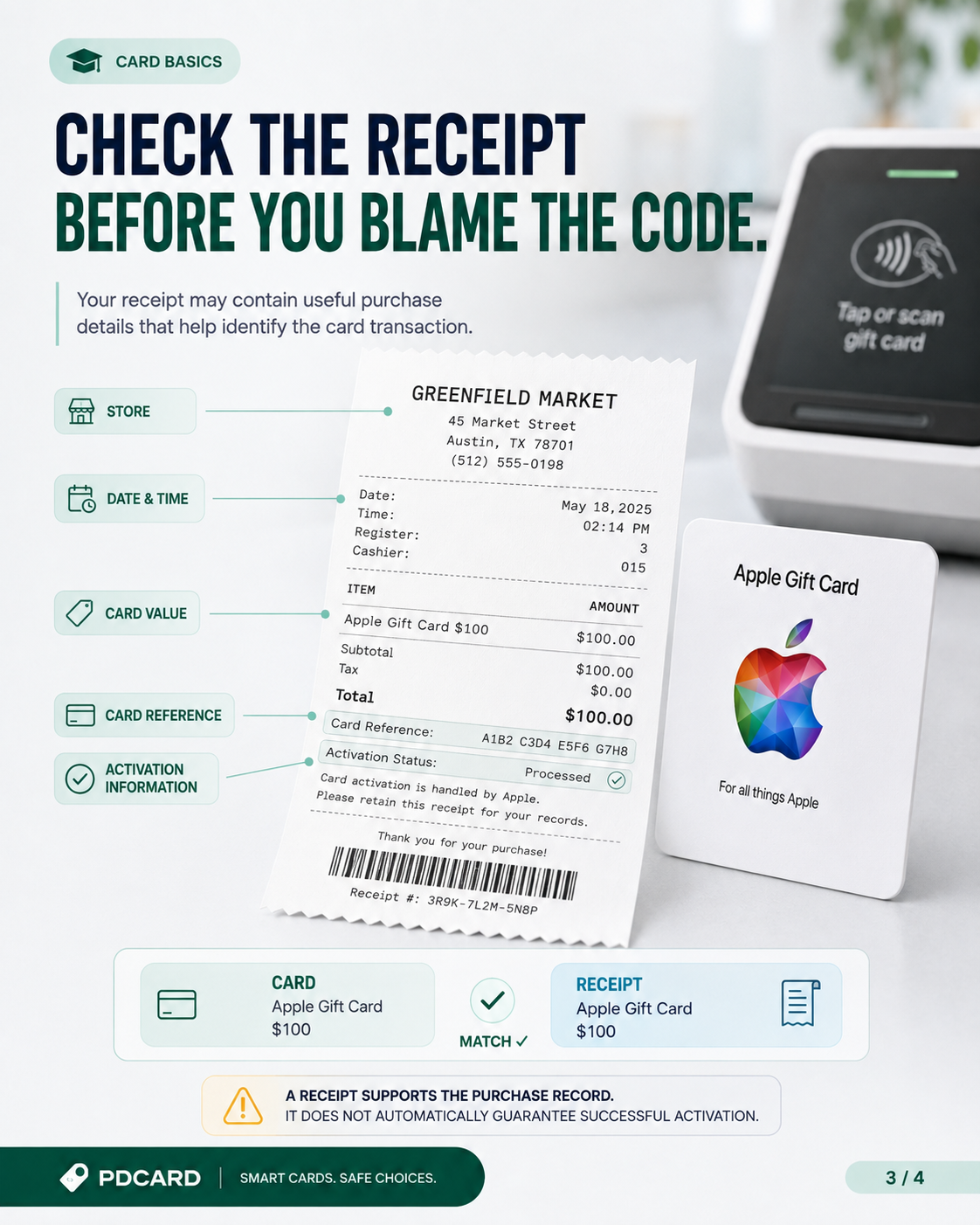
A receipt may contain useful information such as the store, purchase date, gift card amount, transaction reference, and payment information. These details can help identify the purchase when the activation status needs to be checked.
3. The Retailer May Need to Check the Purchase
Some activation issues begin at the point of sale. If you purchased the Apple Gift Card from a physical store or another retailer, the original seller may need to review the purchase and activation record.
This is especially useful when the code is readable, the card has not been successfully redeemed, and you still have the original receipt.
Check the Receipt Before Blaming the Code
If your Apple Gift Card is not working, keep the original purchase receipt. It may contain information that helps identify the card transaction.
- Store name
- Purchase date and time
- Gift card amount
- Transaction or card reference
- Receipt number
- Activation-related information, when shown
The receipt should correspond with the Apple Gift Card you are trying to use. For example, if the card has a value of $100, the purchase information should match the same card and amount.
A receipt supports the purchase record, but it does not automatically guarantee that activation was completed successfully.
What If the Apple Gift Card Code Is Damaged?
An activation issue is different from a damaged or incomplete redemption code.
If characters are scratched off, missing, or difficult to read, the problem may be the physical code rather than the activation status.
Make Sure You Have the Correct Gift Card
Apple Gift Cards may differ by country, currency, physical or digital format, and other card details. Before assuming that activation is the only issue, confirm that you have correctly identified the card.
Check the brand, country or region, currency, denomination, and whether the card is physical or digital.
What Should You Do If the Card Is Not Activated?
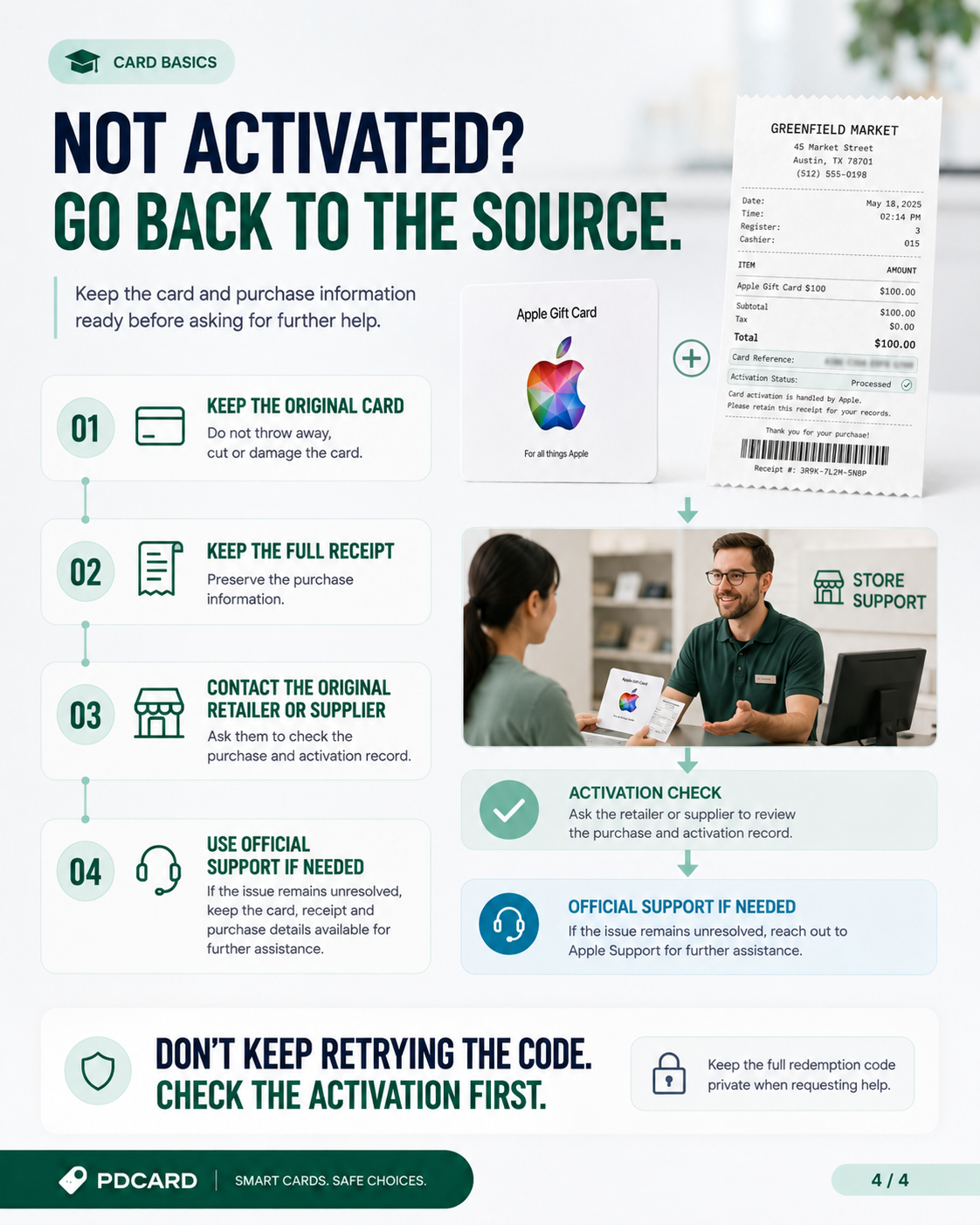
Step 1: Keep the Original Apple Gift Card
Do not throw away, cut, damage, or discard the physical card while the issue is unresolved. The original card may be needed when the purchase record is reviewed.
Step 2: Keep the Full Receipt
Save the complete receipt rather than only keeping a cropped image. The retailer name, date, amount, transaction reference, and other purchase information may be useful.
Step 3: Contact the Original Retailer or Supplier
If the card was purchased from a store, ask the retailer or supplier to review the purchase and activation record.
Prepare:
- The original Apple Gift Card
- The full purchase receipt
- The purchase date
- The purchase location
- The card denomination
- Any transaction or card reference
Step 4: Use Official Support If Needed
If the original retailer cannot resolve the issue, use the relevant official support process and keep the card, receipt, and purchase information available in case more details are requested.
Do Not Keep Retrying the Code
Repeatedly entering the same code is not the best way to resolve a suspected activation problem.
If activation did not complete correctly, retrying the redemption code does not repair the original checkout or activation record.
Check the purchase → Verify activation → Contact the retailer → Use official support if needed
Keep the Full Redemption Code Private
Do not post the complete Apple Gift Card code publicly or send it to unknown individuals when asking for help.
Gift card codes can carry value. Only provide sensitive information through the appropriate official process when it is specifically required.
Check the Card Before Trading It
Before submitting an Apple Gift Card for trading, make sure the card information is complete and that there is no unresolved activation problem.
- Check the Apple Gift Card type
- Confirm the country or region
- Check the currency
- Confirm the denomination
- Identify whether it is physical or digital
- Check the card condition
- Keep the receipt when available
- Resolve known activation issues first
Use Clear Images When Submitting a Gift Card
If you later submit the card through PDCard, make sure the uploaded image is clear, complete, and easy to read. Blurry photos, glare, cropped edges, or hidden card details may make verification more difficult.
Check Your Transaction Record Before Contacting PDCard Support
If you have already submitted the gift card on PDCard, open the transaction record before sending a support request.
Check the current status, Order ID, submission time, selected card details, and any request for additional information.
If you still need help after checking the order, provide the relevant Order ID when contacting official support.
Download the PDCard App
Use the PDCard app to check available gift card information, select the appropriate category, submit your card, and follow your transaction status.
Get Official PDCard Updates
For official announcements, gift card trading information, and community updates, use the official PDCard community channels.
Not Activated? Go Back to the Source
A readable Apple Gift Card code does not automatically prove that the card successfully completed activation at checkout.
If the card looks fine but does not redeem, keep the original card and receipt, confirm that the purchase information matches, and ask the original retailer or supplier to review the activation record.
If the issue remains unresolved, use the relevant official support process and keep the full redemption code private while requesting help.