How to Redeem Coins into Naira on PDCard[2026]
How to Redeem Coins into Naira on PDCard
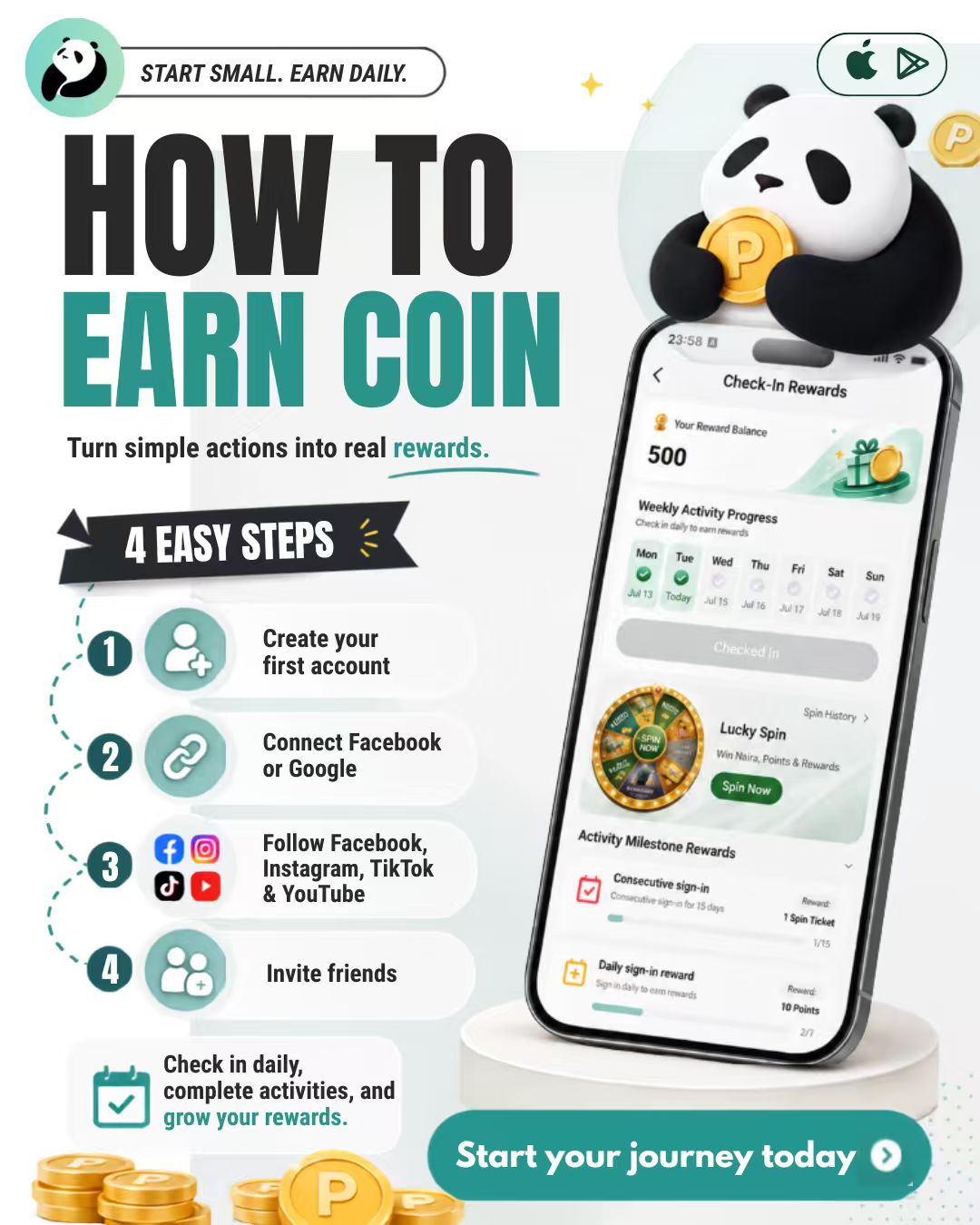
PDCard users can earn coins by completing eligible activities inside the app. Once you have collected enough coins, you may be able to convert them into Naira through the coin redemption section.
This guide explains how to redeem coins into Naira on PDCard in four simple steps. It also covers where to check your coin balance, how to enter an exchange amount, and what to review before completing the conversion.
What Are PDCard Coins?
PDCard coins are reward points that users can collect by participating in eligible activities available inside the app.
Depending on the current activities shown on your account, you may earn coins by:
- Inviting friends
- Completing available tasks
- Participating in other eligible reward activities
The number of coins available can be viewed in the Coin Balance section. Reward availability and requirements may change, so always check the latest information displayed in the PDCard app.
How to Redeem Coins into Naira on PDCard
Follow these four steps to convert your PDCard coins into Naira.
Step 1: Open My Center
Open the PDCard app and sign in to your account.
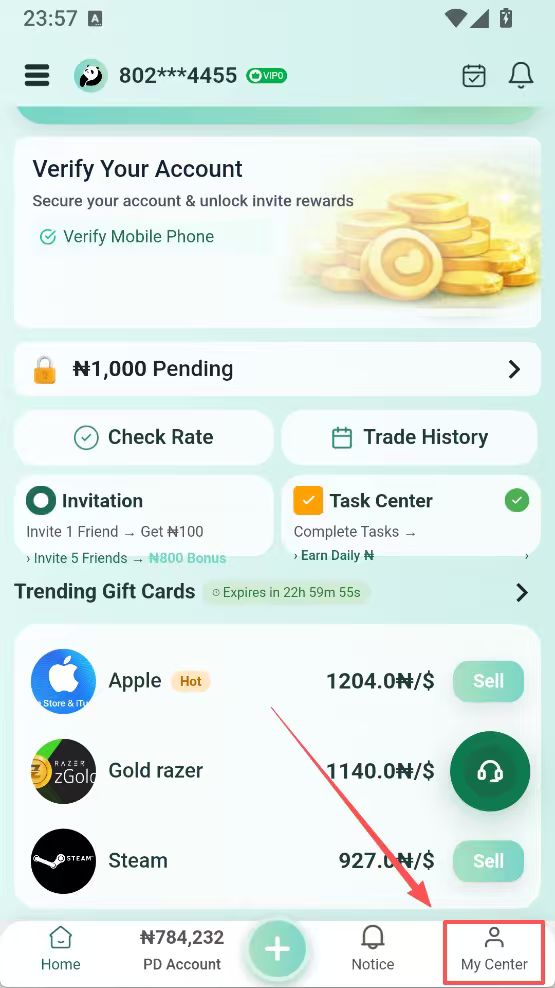
From the home screen, tap My Center in the bottom-right corner. This section contains your rewards, account tools, activity records, and support options.
Step 2: Select Coin Balance
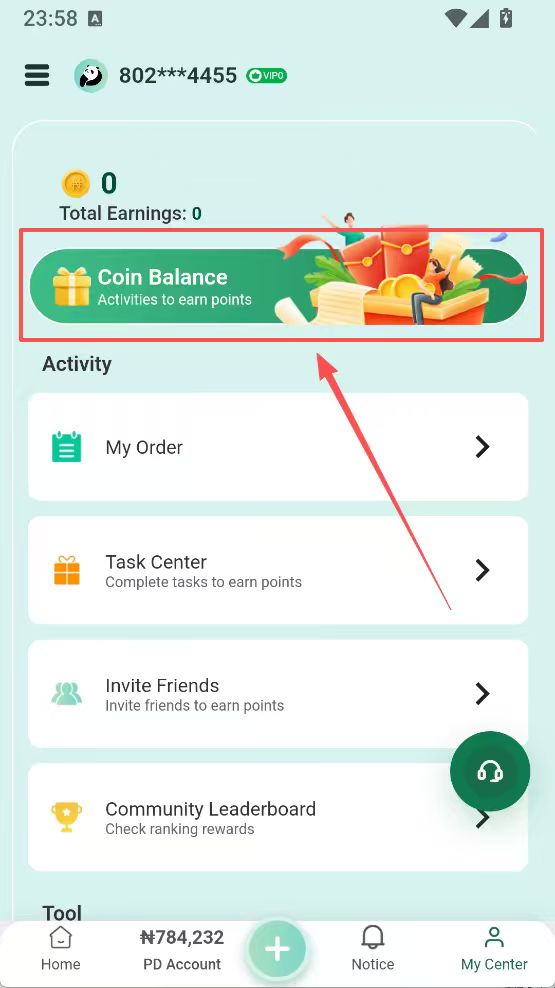
Inside My Center, find the Coin Balance banner near the top of the page.
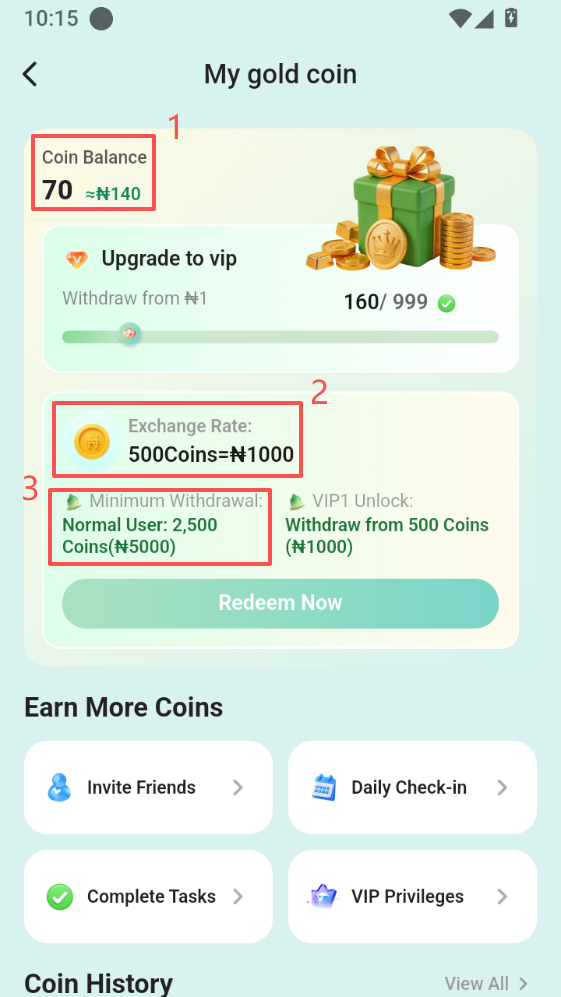
Tap the banner to open the My Gold Coin page. Here, you can view your current coin balance, coin history, and available ways to earn more coins.
Step 3: Tap Redeem Now
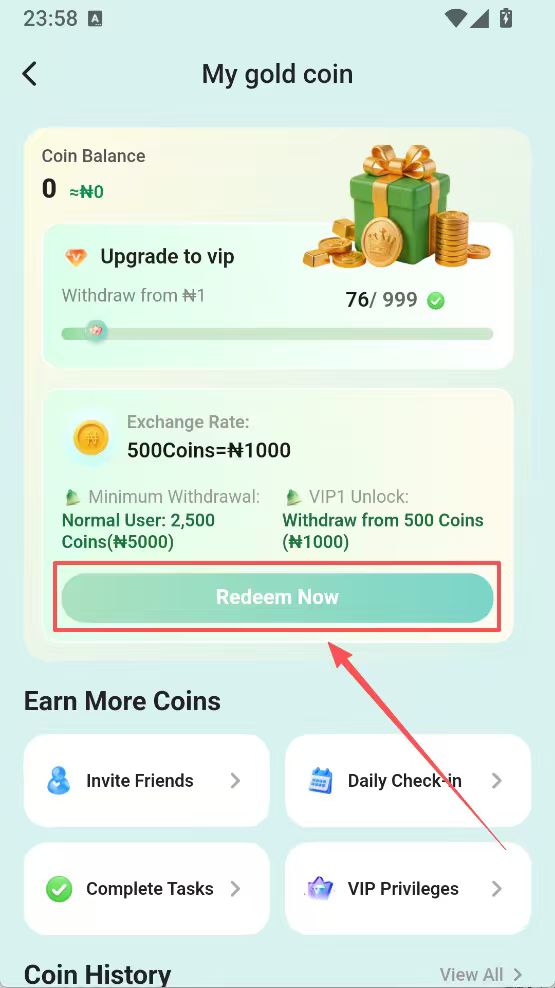
Review your available coins and the current exchange information displayed on the page.
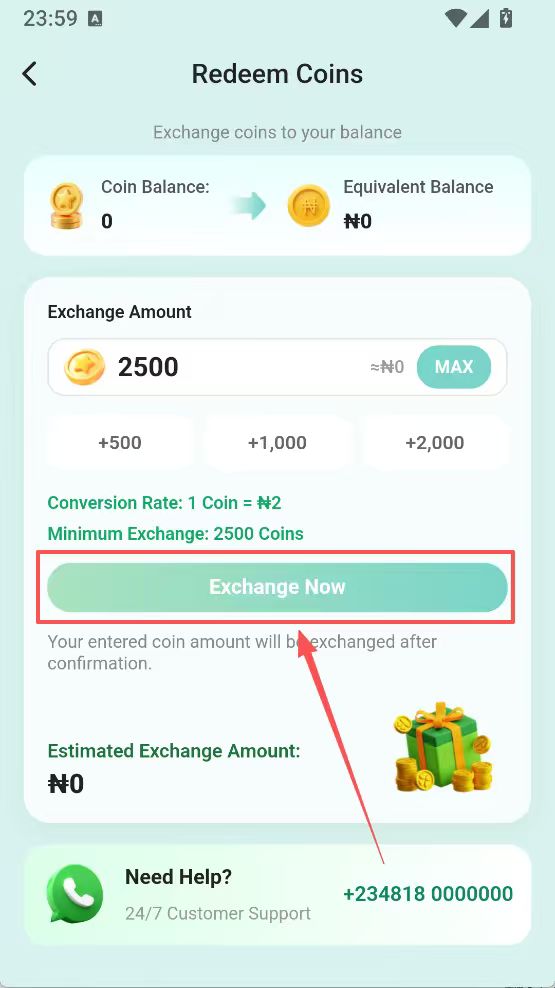
When you are ready to continue, tap Redeem Now. This will take you to the Redeem Coins page, where you can choose how many coins you want to exchange.
Step 4: Enter the Amount and Exchange
Enter the number of coins you want to redeem. Make sure the amount meets the minimum exchange requirement and does not exceed your available coin balance.
Review the estimated Naira amount, then tap Exchange Now to submit the conversion.
Once completed successfully, the corresponding Naira amount should be added to your eligible balance according to the information shown in the app.
What Should You Check Before Redeeming Coins?
Before selecting Exchange Now, review the following information carefully.
Your Coin Balance
Make sure you have enough coins to complete the requested exchange.
The Minimum Exchange Amount
The app may require a minimum number of coins for each redemption. An amount below the minimum may not be accepted.
The Current Exchange Rate
The value of your coins in Naira should be displayed on the redemption page. Check the rate before completing the conversion.
Your Available Balance
After a successful exchange, check your balance to confirm whether the converted amount has been added.
How to Earn More Coins on PDCard
When your coin balance is not enough for redemption, check the Earn More Coins section.
Available activities may include:
Invite Friends
Invite eligible new users through your referral method and complete the requirements shown in the app.
Complete Tasks
Visit the Task Center and review the tasks currently available to your account.
Only completed and eligible activities will count toward your coin balance. Check the conditions for each task before participating.
Why Can’t I Redeem My Coins?
There are several possible reasons why a coin redemption may not be completed.
Your Balance Is Too Low
You may not have enough coins to meet the minimum redemption amount.
The Entered Amount Is Invalid
Check that the amount does not exceed your coin balance and meets the conditions displayed on the page.
Your Internet Connection Is Unstable
Check your Wi-Fi or mobile data connection, then try again.
The App Needs to Be Updated
Use the latest available version of PDCard to access current reward and redemption features.
When the problem continues, contact official PDCard Support and provide a clear explanation of the issue. Do not share your password, withdrawal PIN, or verification codes.

Download PDCard on App Store or Google Play.
Apple gift card trading on PDCard
Coin rewards and the proceeds you receive when you sell Apple gift cards are different balances. Check the current Apple quote for your trade, then use the app’s applicable rules to understand any separate coin redemption.
Related guides: how to sell Apple gift cards in Nigeria and Apple gift card rates and naira value.