How to Personalize Your PDCard Account: Step-by-Step Guide[2026]
Setting up a new account on a gift card trading app in Nigeria is exciting, but customizing your profile makes your trading experience more personal. If you have completed the steps in How to Register a PDCard Account, the next step is to make your account feel like your own.
In this guide, you will learn how to personalize your PDCard account by changing your display name and avatar in three simple steps.
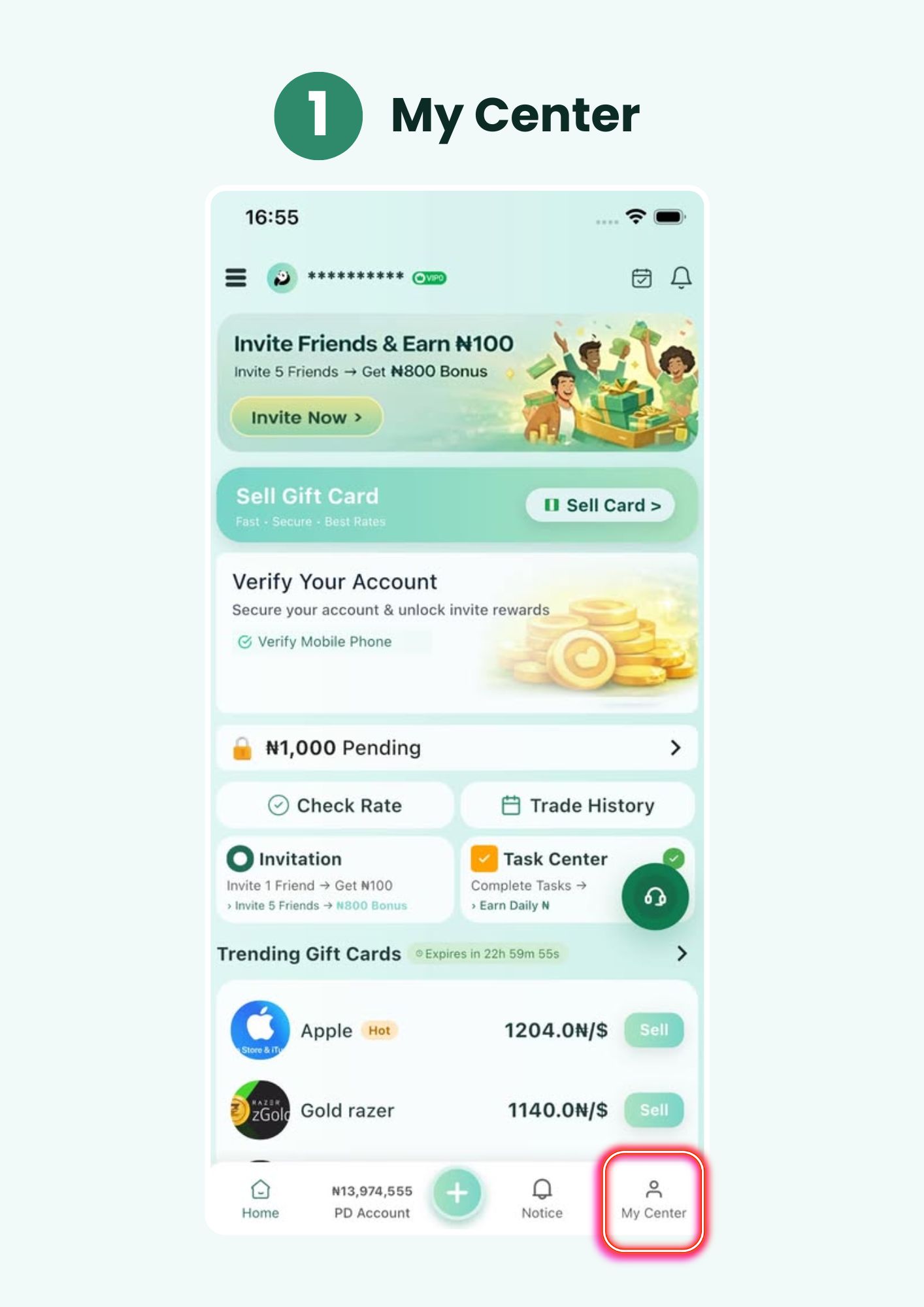
Step 1: Go to “My Center” on the Home Screen
To begin personalizing your PDCard account:
- Open the PDCard app on your iOS or Android device.
- On the main dashboard, look at the navigation bar at the bottom of the screen.
- Tap the My Center icon in the bottom-right corner.
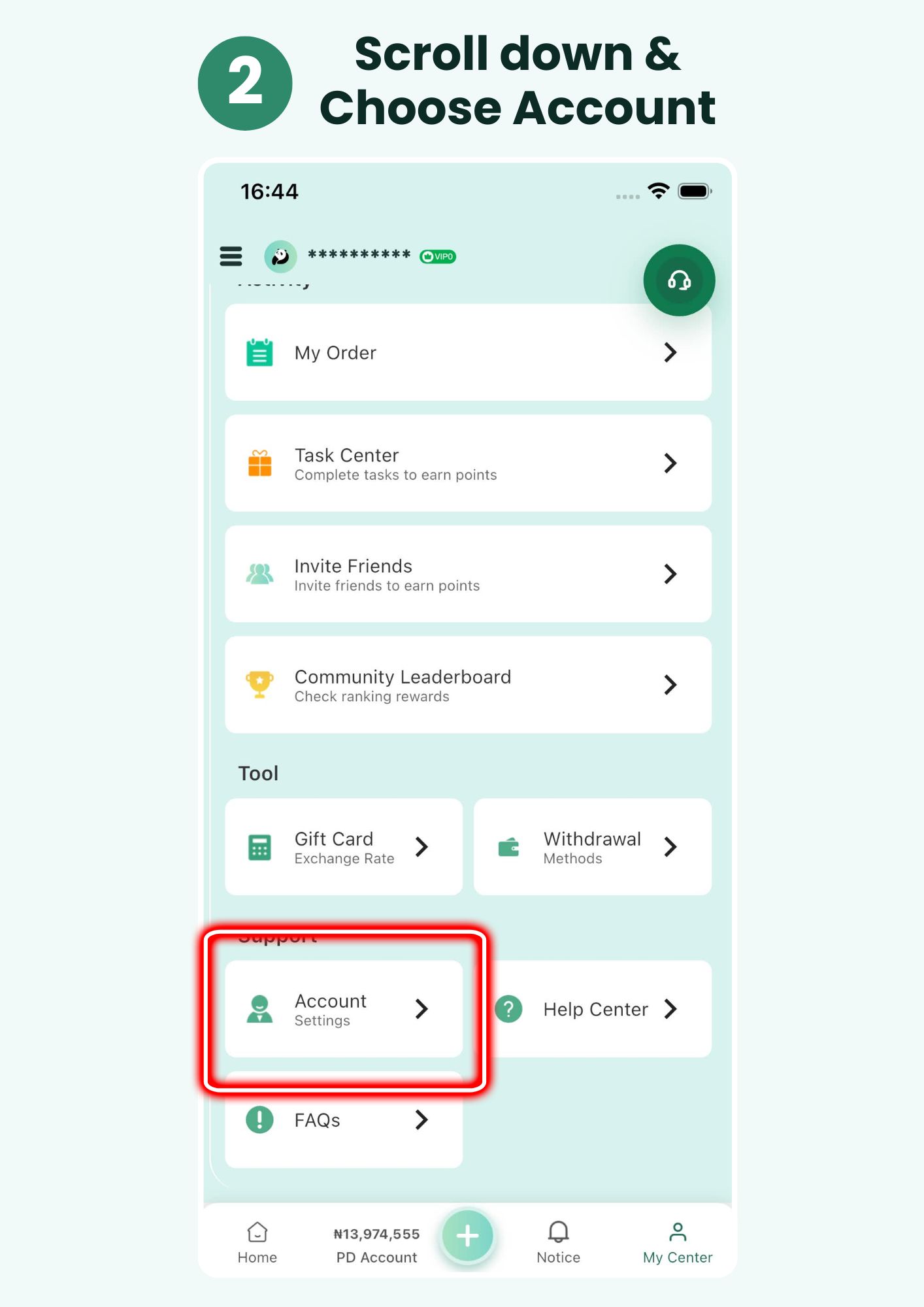
Step 2: Scroll Down and Choose “Account Settings”
Once you are inside the My Center menu:
- Scroll down past your active orders and account tools.
- Locate the Support section.
- Tap Account Settings to open your PDCard account settings dashboard.
💡 Note: This section also allows you to manage important account and security settings. You can read How to Change Your Password in the PDCard App, learn How to Add Bank into PDCard, or review How to Withdraw Money from PDCard.
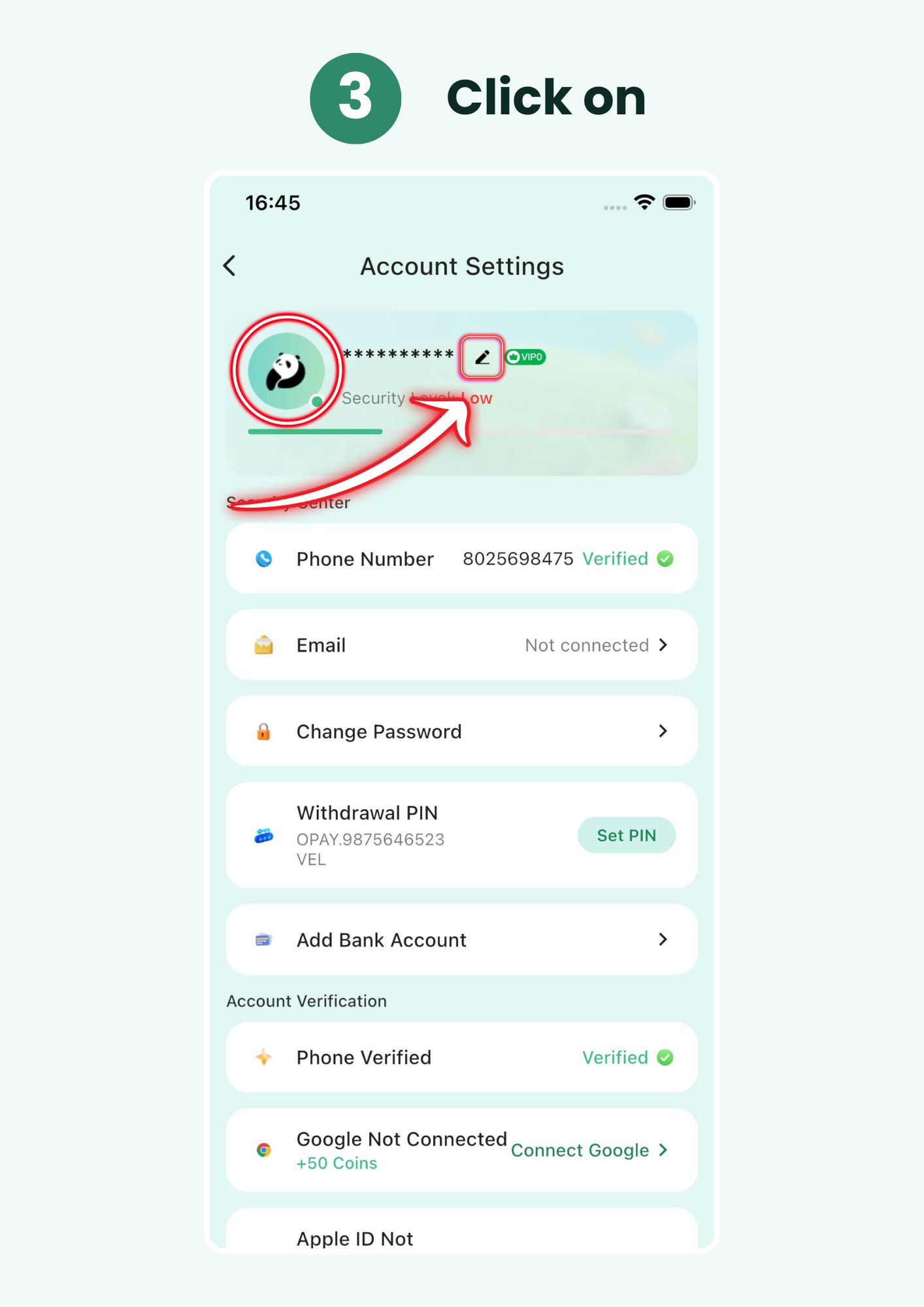
Step 3: Tap the Edit Icon to Change Your Name and Avatar
Now you can begin customizing your PDCard profile:
- At the top of the Account Settings page, find your current avatar and account name.
- Tap the Edit or pencil icon next to your profile picture and name.
- Choose a new avatar and enter your preferred display name.
- Save your changes.
Conclusion
Learning how to personalize your PDCard account takes less than a minute, but it can make your PDCard app setup feel cleaner, more recognizable, and uniquely yours.
Update your display name, choose an avatar that represents you, and continue managing your gift card trades through the PDCard app.
👉 Download PDCard on App Store or Google Play today.
Apple gift card trading on PDCard
Once your profile is set up, you can use the same account to sell Apple gift cards and track the resulting order. Keep account details accurate, then check the Apple category and current naira quote before you submit a card.
Related guides: how to sell Apple gift cards in Nigeria and Apple gift card rates and naira value.