Apple Gift Card Types: What to Check Before Selling in Nigeria
Current estimated payouts
Apple gift cards issued in the United States. Face values are in USD. Payout estimates are in Nigerian naira before any applicable fees.
| Card type | US$100 |
|---|---|
| Physical card | ₦134,880.00 |
| Code | ₦129,467.00 |
| E-code | ₦131,416.00 |
Last rate check . Earliest quote expiry (Lagos time).
Confirm your quote in the app before selling. Final payout is determined after review. Get the official PDCard app.
To sell an Apple gift card in Nigeria, first identify the country, currency, denomination and card format. A physical card and an e-code can require different submission details. Use the available PDCard category that matches the card you hold.
Apple card types and the $100 naira quote
Match the Apple card’s issuing country, format and face value when checking the current estimate. If several tiers overlap, confirm which category applies in the PDCard app.
Sell Apple gift cards in Nigeria: trading and bulk guide · Apple US$100, US$200 and US$500 Naira payout table. Confirm the correct category and current app quote before submission.
Compare physical gift cards and e-codes, review horizontal vs vertical Apple gift cards, then check your Apple gift card rate in naira. Follow the step-by-step selling guide when you are ready.
How to Know Your Apple Gift Card Type Before Trading
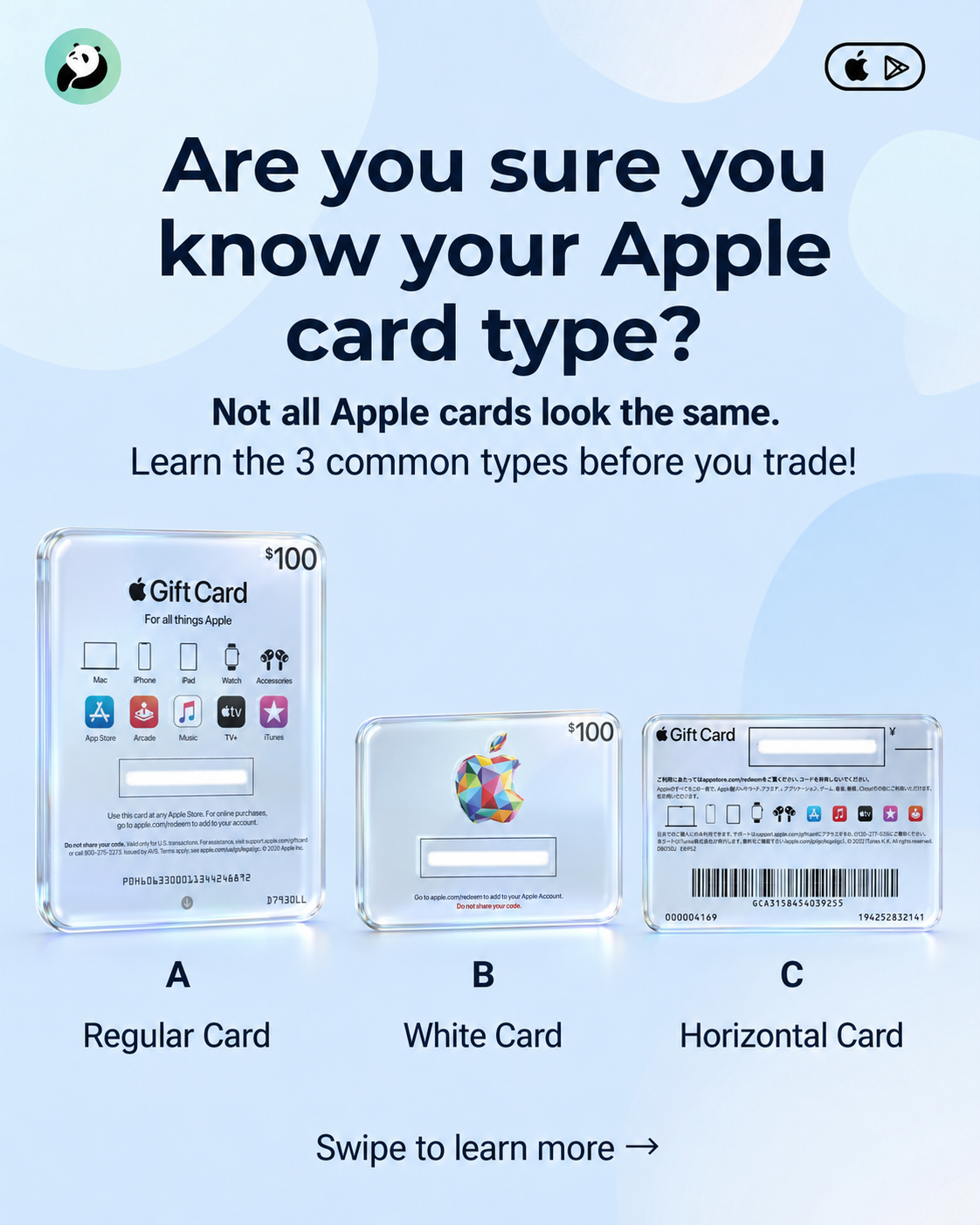
Not all Apple gift cards are the same. Many users see the Apple logo and assume every Apple gift card will be processed in the same way, but the card type can affect how the trade is reviewed.
Before you trade an Apple gift card, it is important to check the card format carefully. Choosing the wrong Apple card type or submitting unclear details may slow down the process because support may need to review the information again.
Understanding your Apple gift card type helps you submit better details, check your estimated value more clearly, and avoid unnecessary delays.
Why Apple Gift Card Type Matters
Apple gift cards may look similar, but they are not always the same. Some cards are full physical cards, some are whiteboard-style cards, and some are horizontal cards with the code placed differently.
When the card type is selected correctly, it is easier to review the card information. When the wrong type is selected, the transaction may need extra checking before it can continue.
This does not always mean there is a problem with your card. Sometimes, it simply means the card details need to match the correct Apple card format.
Common Apple Gift Card Types
1. Regular Apple Gift Card
A regular Apple gift card usually requires a full card photo. The image should clearly show the card details and should not be blurry, cropped, or incomplete.
This type is generally less common than whiteboard Apple cards. Its estimated exchange value may also be different from other Apple card types, depending on the current rate shown in the app.
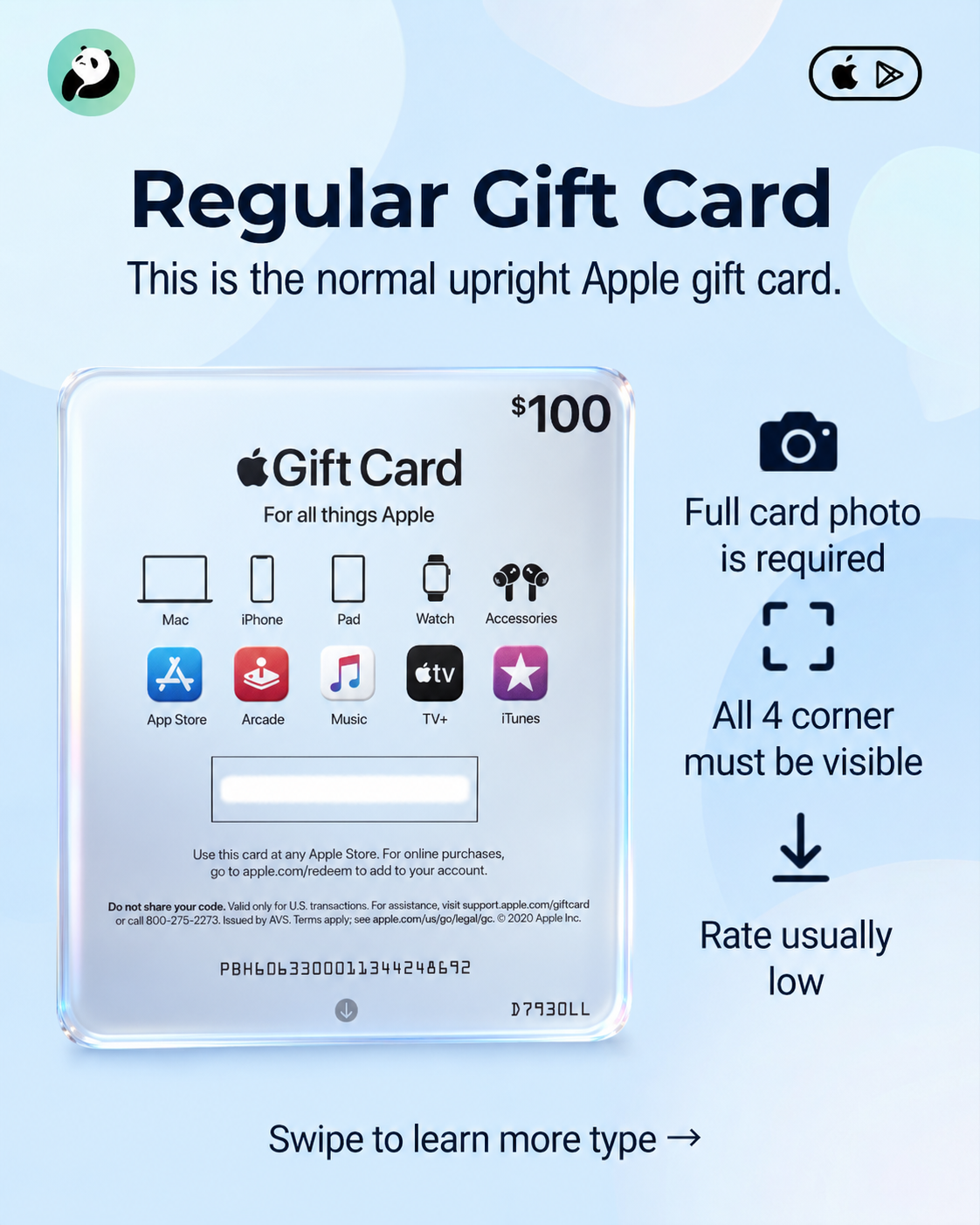
Before submitting this card type, make sure the photo is clear and complete.
2. Apple Whiteboard Card
The Apple whiteboard card is one of the most common Apple gift card types. Many users are more familiar with this format because it is widely seen in gift card trading.
Whiteboard cards may often have a more favorable estimated rate compared with some other Apple card formats, but the exact value can still depend on the rate available at the time you check.
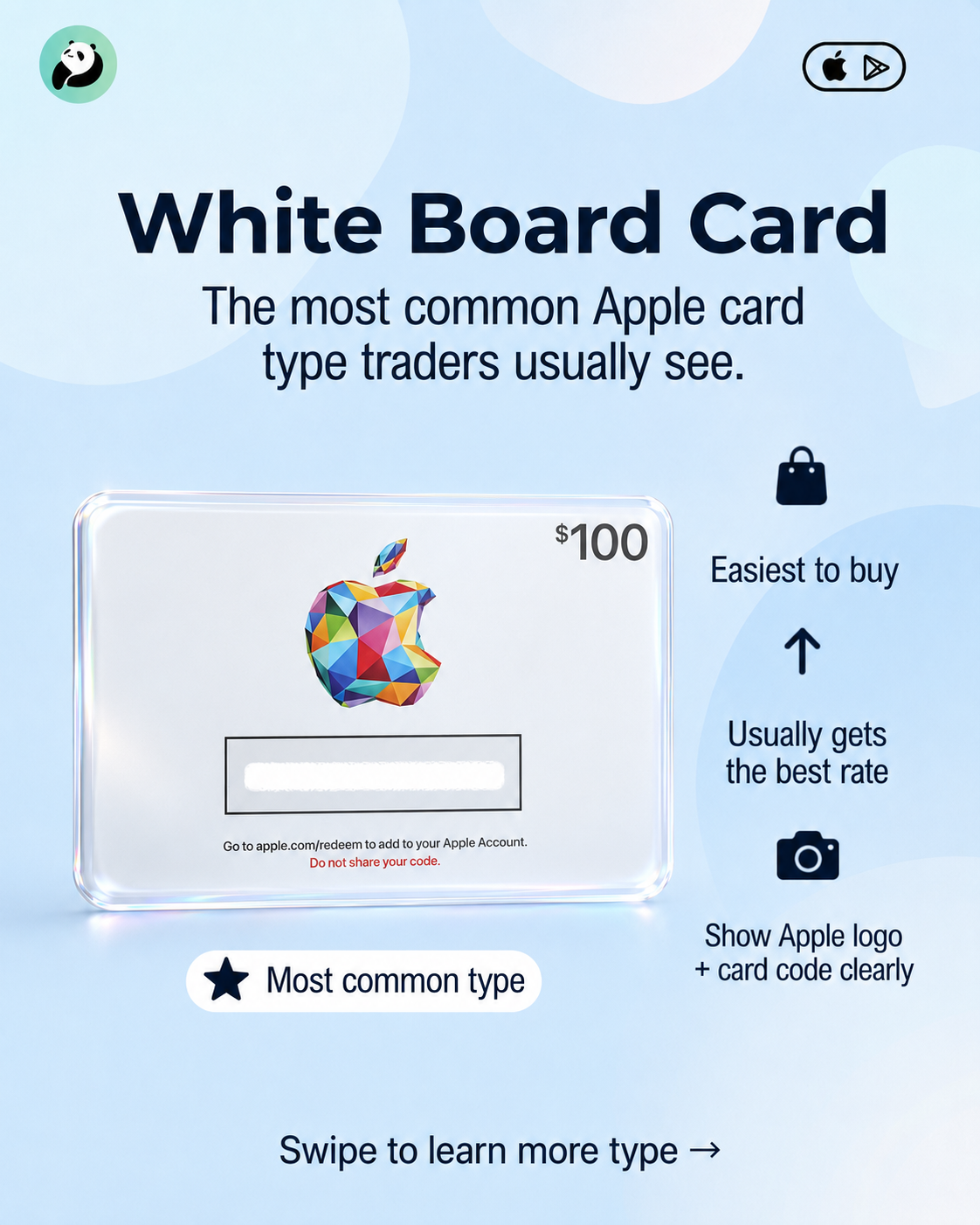
If you have a whiteboard Apple card, make sure you select the correct type before submitting your trade.
3. Horizontal Apple Gift Card
The horizontal Apple gift card is less common than other Apple card types. This format is different because the code is usually located on the back of the card.
Since the layout is different, it is important to provide clear images and choose the correct card type when submitting. If the wrong format is selected, the review process may take longer because the card details may not match the selected category.
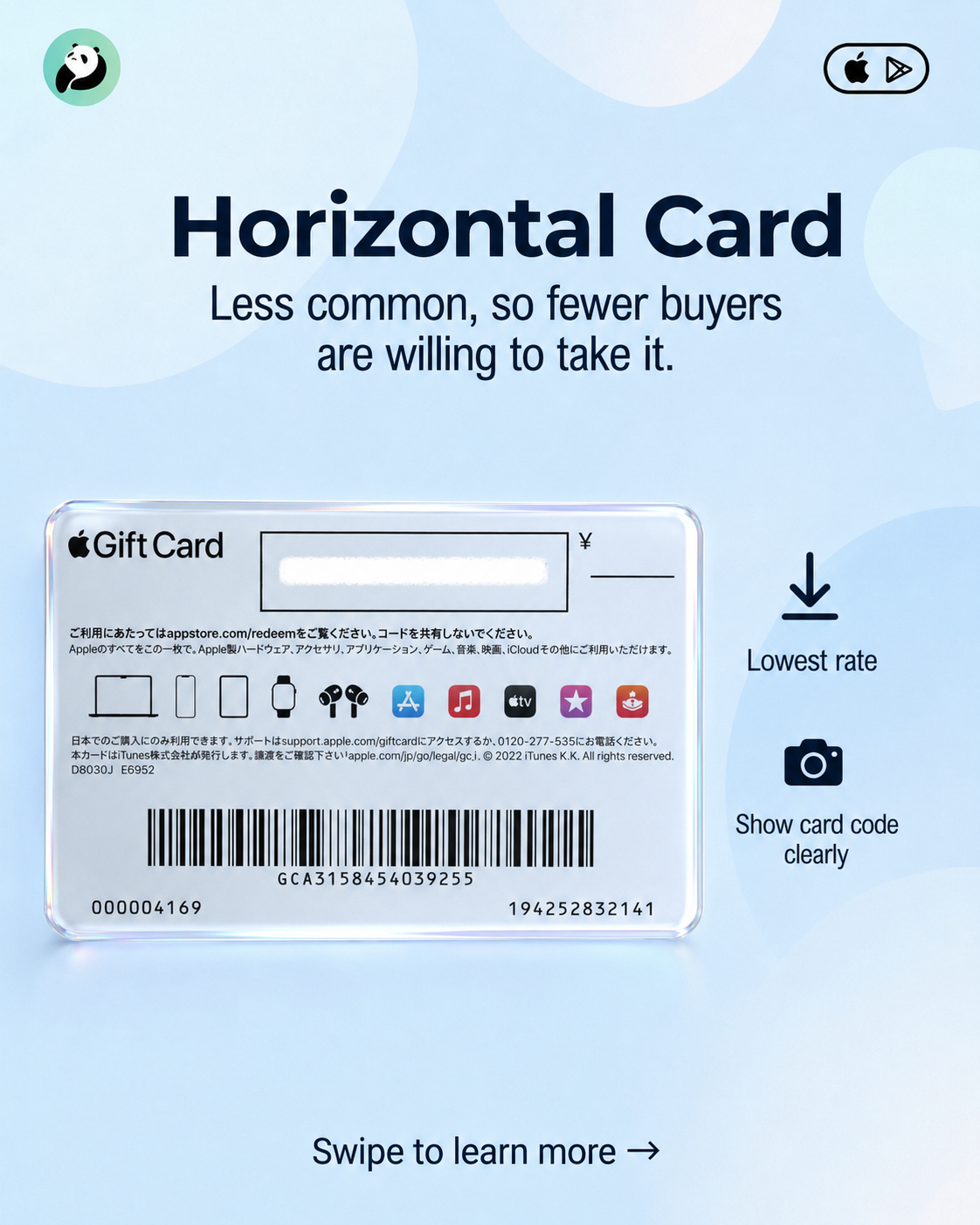
Horizontal Apple cards may also have a different estimated value compared with other Apple card types.
What Happens If You Choose the Wrong Apple Card Type?
If you choose the wrong Apple card type, your transaction may not move as smoothly as expected. Support may need to ask for more information, check the image again, or confirm the correct card format before continuing.
This can cause delays because the original information submitted was not complete or did not match the card type.
To avoid this, always check:
- The Apple card format
- The card country
- The card amount
- The code position
- The image quality
- Whether the card is physical or code-only
The clearer your submission is, the easier it is to understand your card details.
How PDCard Helps You Check Before You Trade
PDCard gives users a more organized way to check gift card details before trading. Instead of guessing the value or selecting a random card type, users can choose the correct Apple card category, enter the card amount, and check the estimated rate before continuing.
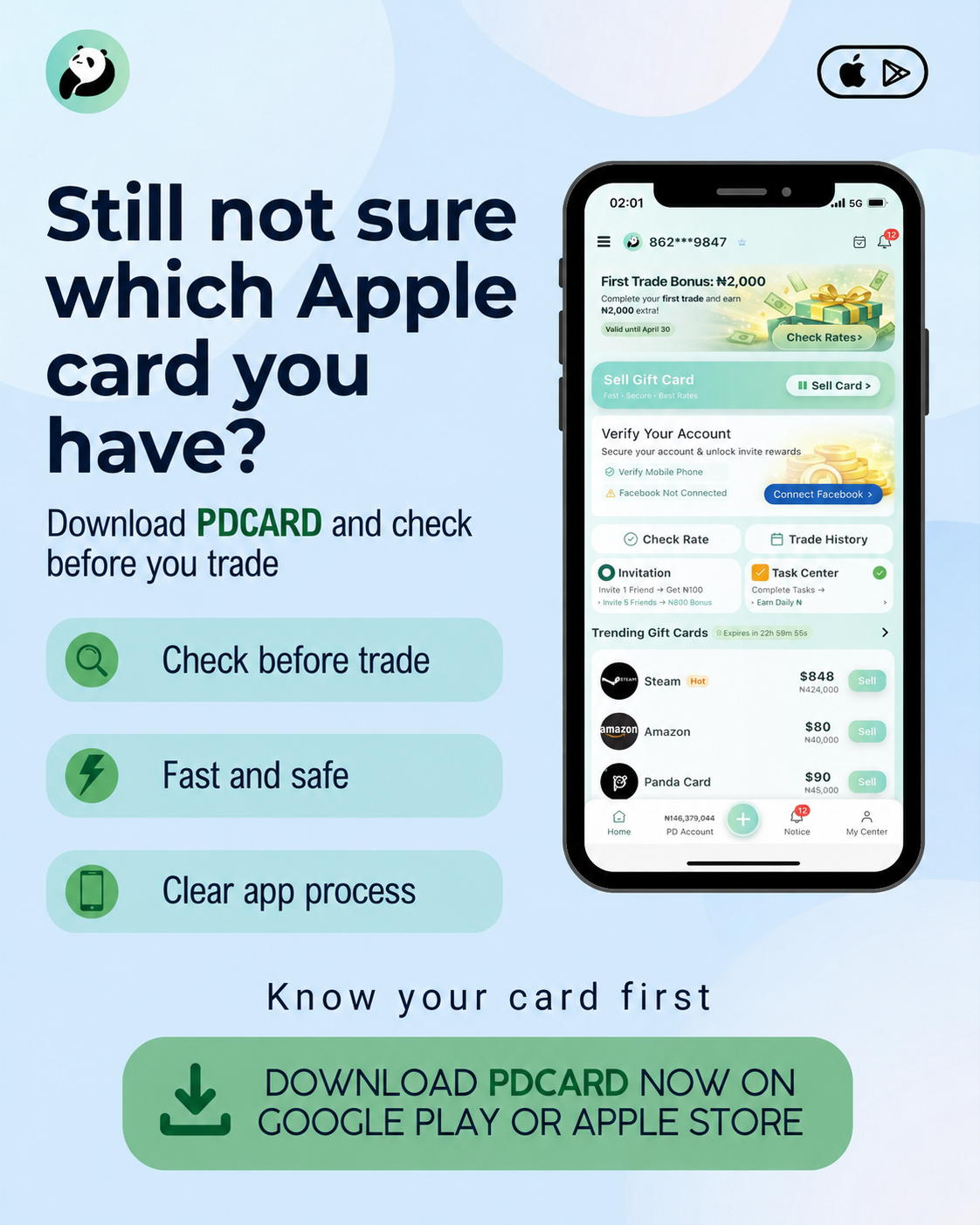
This helps users understand their card better before submitting a trade.
Before you trade your Apple gift card, check the type first. A few extra seconds of checking can help you avoid confusion and reduce unnecessary delays.
FAQ
Are all Apple gift cards the same?
No. Apple gift cards can come in different formats, including regular cards, whiteboard cards, and horizontal cards. The card type can affect how the details are reviewed.
Why does PDCard need the correct Apple card type?
The correct card type helps PDCard understand the card format more clearly. If the wrong type is selected, the information may need to be checked again.
Can choosing the wrong Apple card type delay my trade?
Yes. If the selected card type does not match the actual card, support may need to review the details again or ask for more information.
Which Apple card type has the best rate?
Rates can change depending on the card type, country, amount, and current market conditions. Users should check the estimated rate in the PDCard app before trading.
What should I do before submitting my Apple gift card?
Check the card type, country, amount, code position, and image quality. Make sure the details you submit match the card you have.
Trade Smarter With PDCard
Apple gift cards may look simple, but the card type matters. Before you trade, take time to check whether your card is regular, whiteboard, or horizontal.
Download PDCard and check before you trade.
Article Summary
Apple gift cards are not all the same. Regular cards, whiteboard cards, and horizontal cards may be reviewed differently. Choosing the correct Apple card type, submitting clear details, and checking the estimated rate first can help users avoid confusion and trade more clearly with PDCard.
Explore PDCard alongside this Apple card checklist
Watch this PDCard creator post from Stanley Savvy alongside the written card-type checklist. Before selling an Apple gift card for Naira, match its country, currency, format and individual denomination to the category in the app.
Stanley Savvy PDCard creator video
Creator: Stanley Savvy — watch the original TikTok post. Produced in collaboration with PDCard. Any rate or promotion in the video reflects its publication context; confirm the current app quote before trading.