Foot Locker Gift Card Number vs PIN: How to Read Your Card Before Trading? [2026]
Foot Locker Gift Card: Know the Details Before You Trade
A Foot Locker Gift Card may look simple, but the details on the back matter. Before redeeming or submitting a card for trading, make sure you can tell the Card Number from the PIN.
For current U.S. Foot Locker gift cards, the Card Number is the longer card identifier, while the PIN is a separate security detail. Older or region-specific cards may look different, so always check the card in front of you instead of assuming every Foot Locker card uses the same layout.
Card Number vs PIN: What Is the Difference?
Card Number
The Card Number is the main number used to identify the gift card. On current U.S. Foot Locker cards, this is typically a 16-digit number.
PIN
The PIN is separate from the Card Number. On a physical card, it may be located on the back under a scratch-off area.
Simple rule: do not replace the Card Number with the PIN, and do not assume a number is correct just because it appears near the barcode.
Flip the Card and Find the Right Details
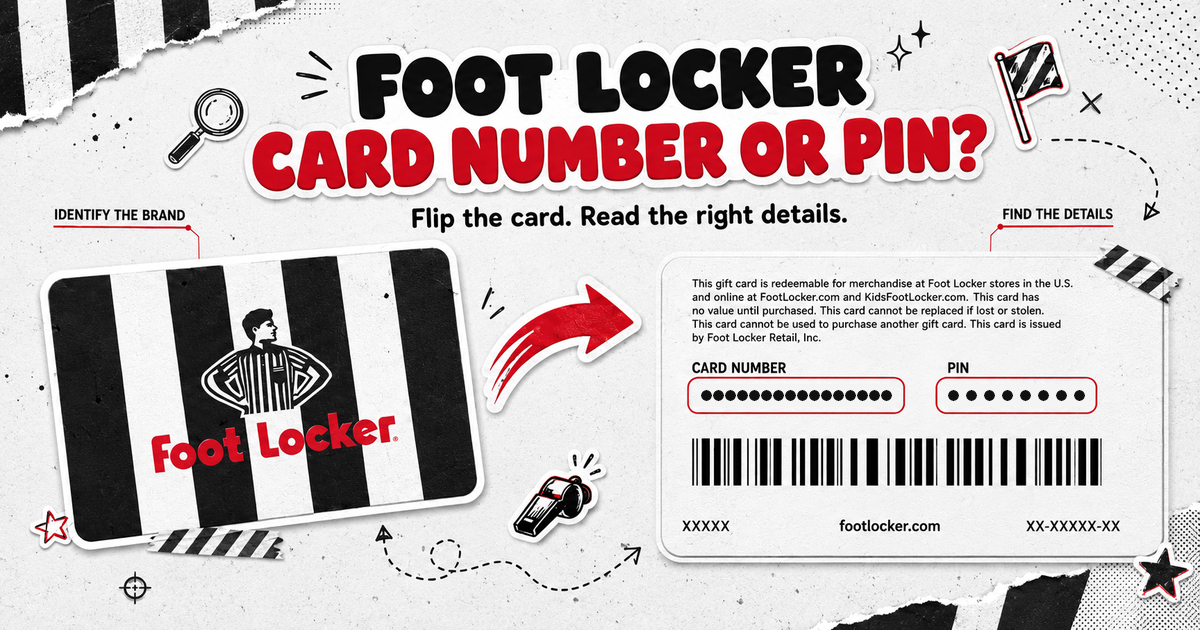
How to Read a Foot Locker Gift Card
- Check the brand. Make sure the card is actually a Foot Locker Gift Card.
- Check the country and currency. A U.S. card should not automatically be treated the same as a card from another market.
- Identify the Card Number. Look for the longer card identifier.
- Find the PIN separately. Do not confuse it with the Card Number.
- Keep the details private. Avoid posting a complete Card Number or PIN publicly.
Different markets can use different card formats and trading options. Read the guide →
Read the Labels Before You Submit
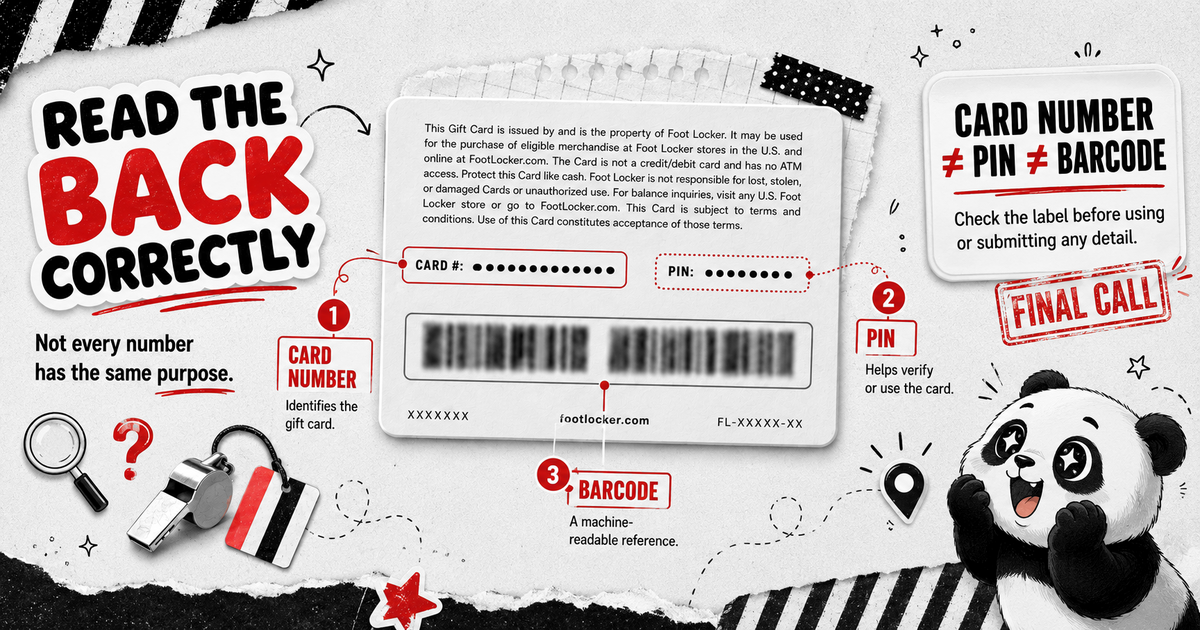
Why Card Details Matter Before Trading
Gift card brands do not all use the same identifying details. With Foot Locker, the important step is understanding which value is the Card Number and which is the PIN.
Other card types may require different checks. For example, some Visa, Vanilla and Amex cards can be identified partly by their starting digits.
Related Guide: Why Do the First 4 Digits of Visa, Vanilla & Amex Gift Cards Matter?See how card-specific identifying details can affect card selection →
Common Mistakes to Avoid
- Confusing the PIN with the Card Number.
- Selecting the wrong country or currency.
- Submitting a physical card as a digital card, or vice versa.
- Uploading blurry or heavily cropped card images.
- Sharing complete gift card details on public channels.
Looking for more guidance about buying gift cards online? Read this guide →
How to Trade a Supported Foot Locker Gift Card With PDCard
- Open PDCard and check the current rate.
- Select the correct Foot Locker card market and type.
- Confirm the value and card details.
- Upload clear proof when requested.
- Review everything before submitting.
Gift card availability and rates can change, so check the current option in PDCard instead of relying on an older trade or screenshot.
Download PDCard or Join the Community
Download PDCard on the left, or join the community on the right.
Foot Locker Gift Card FAQ
Is the Foot Locker Card Number the same as the PIN?
No. They are separate card details and should not be used interchangeably.
Where can I find the PIN?
On current physical U.S. Foot Locker gift cards, the PIN is generally located on the back under the scratch-off area.
Can I trade a Foot Locker Gift Card for Naira?
If your specific Foot Locker card type is currently supported on PDCard, check the available category and rate before submitting it.
Apple gift card trading on PDCard
An Apple card should be identified using Apple-specific requirements, not Foot Locker PIN rules. If you sell Apple gift cards as well, use the card-type guide below and confirm the matching Apple quote.
Related guides: how to sell Apple gift cards in Nigeria and Apple gift card rates and naira value.