How to trade giftcard on PDCard? [2026]
PDCARD BEGINNER GUIDE
Apple-specific rates alongside the general trading steps
If your card is Apple, use the dedicated USA rate table and category guide before following this app tutorial. A $100 card and a $1 pricing unit are different things; enter the actual face value of the individual card.
Sell Apple gift cards in Nigeria: trading and bulk guide · Apple payouts for US$100, US$200 and US$500 by card type. Confirm the correct category and current app quote before submission.
Have a gift card you no longer need? PDCard gives you a guided way to choose the correct card, check the currently available rate, review the estimated payout, submit your card, and follow the transaction status in one place.
Why Trade Gift Cards on PDCard?
When trading physical or digital gift cards, it is important to make sure the card details match before submitting. PDCard organizes the process into guided steps so you can check the card type, country or region, amount, currently available rate, and estimated payout before completing your submission.
Simple rule: Match the exact card first, check the available rate, review the details, then submit.
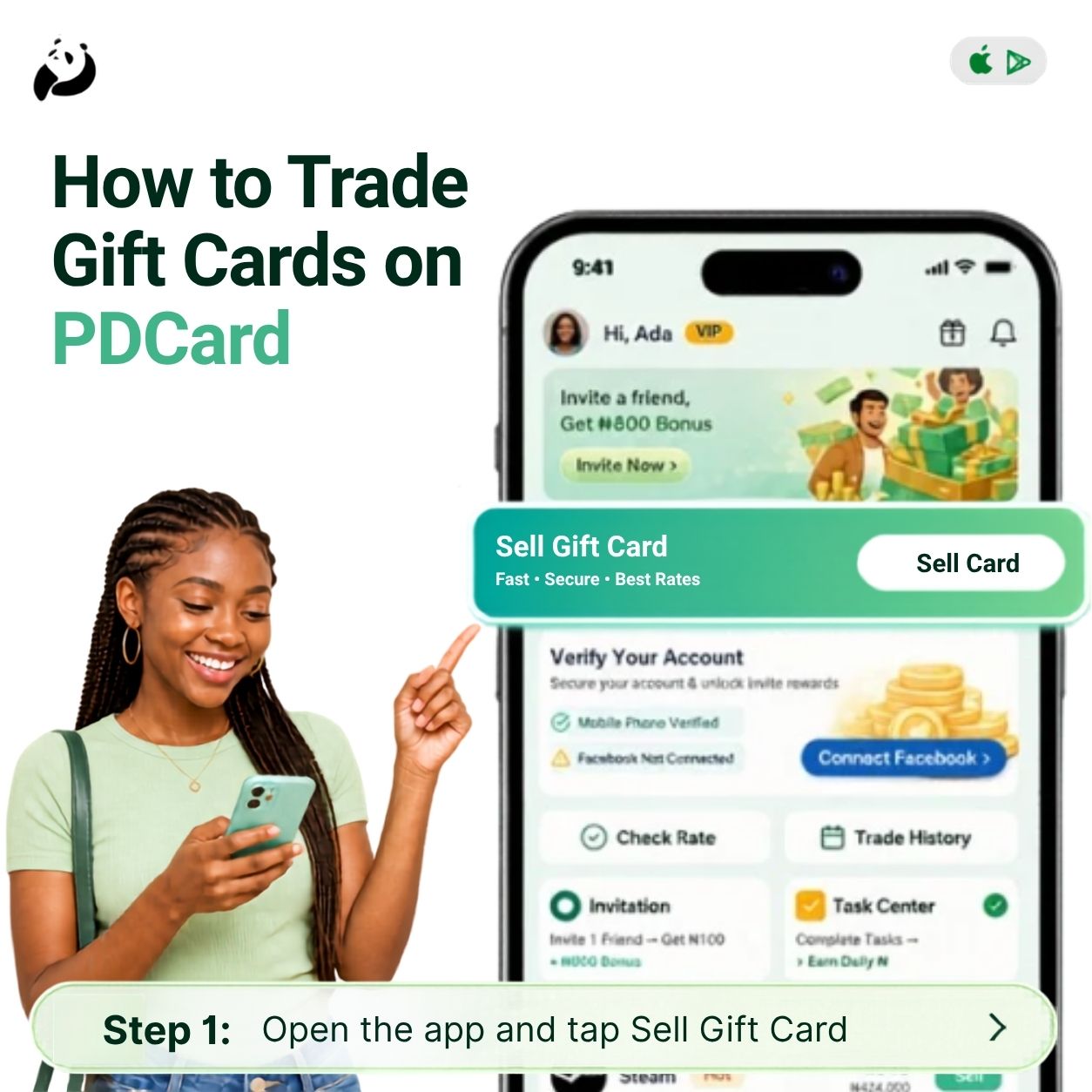
Open the App and Tap “Sell Gift Card”
To start trading your gift card:
- Open the PDCard app on your phone.
- On the home screen, locate “Sell Gift Card” and tap it.
- You can also review currently available card options and rates on the dashboard before continuing.
Follow the Five Guided Steps
PDCard shows a progress flow so you can see where you are during the trade.
1. Card Type: Choose the exact gift card brand and card type.
2. Country: Select the country or region that matches your gift card.
3. Amount: Enter the denomination or value of the gift card.
4. Payout: Review the estimated amount you may receive based on the currently available rate.
5. Submit: Upload the requested gift card image or enter the required code details.

Choose the Exact Card and Country
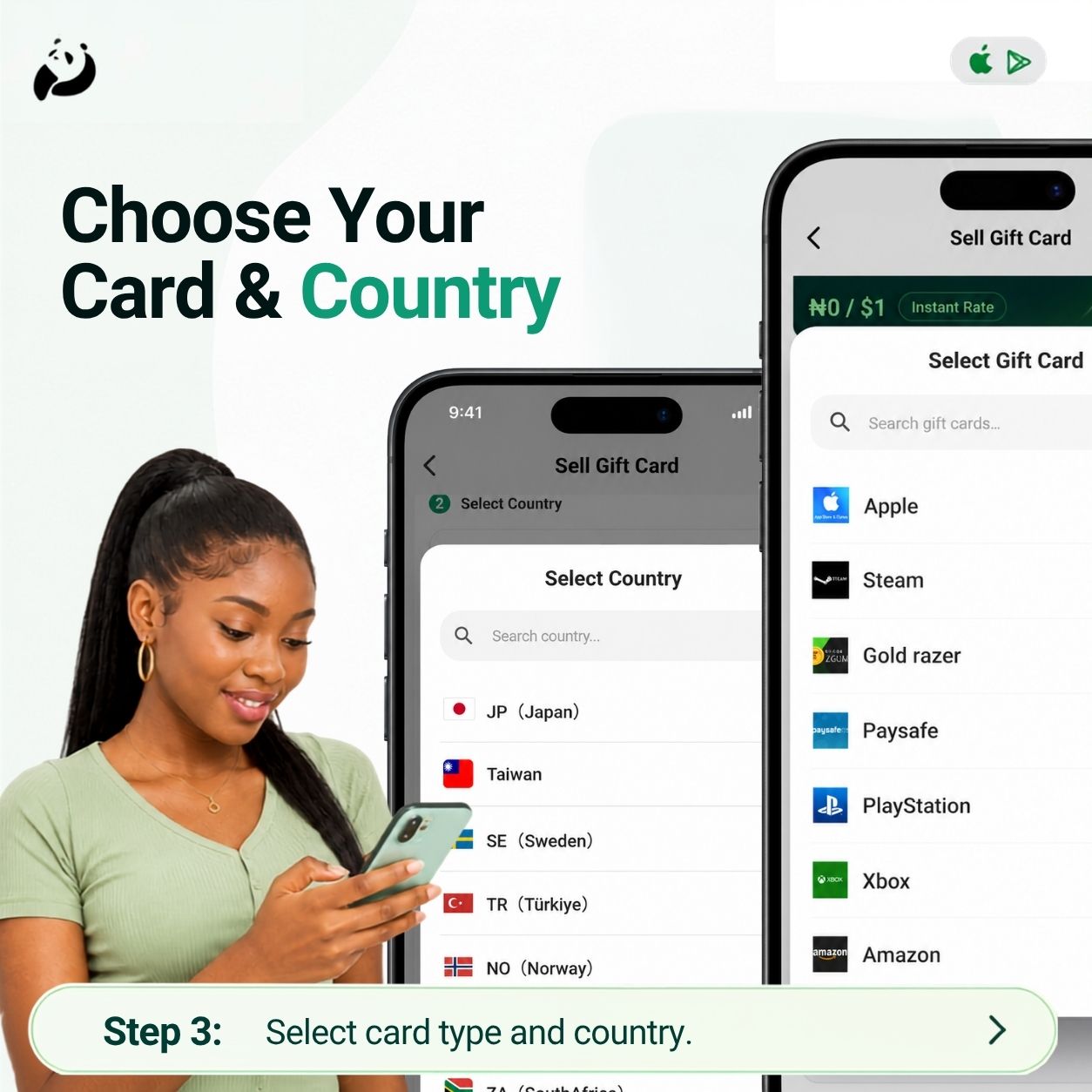
Next, make sure the option you select matches the gift card you actually have.
- Select whether you are trading a physical or digital gift card.
- Select the exact brand, such as Steam, Apple, Amazon, or Google Play.
- Select the country or region that matches the card, such as the USA, Mexico, Brazil, or Canada.
- Review the currently available rate and estimated payout for that exact card type.
Don’t guess the category. If the exact brand, country, card type, or denomination does not match what you see in PDCard, contact Customer Service before submitting.
Enter the Amount and Check the Estimated Payout
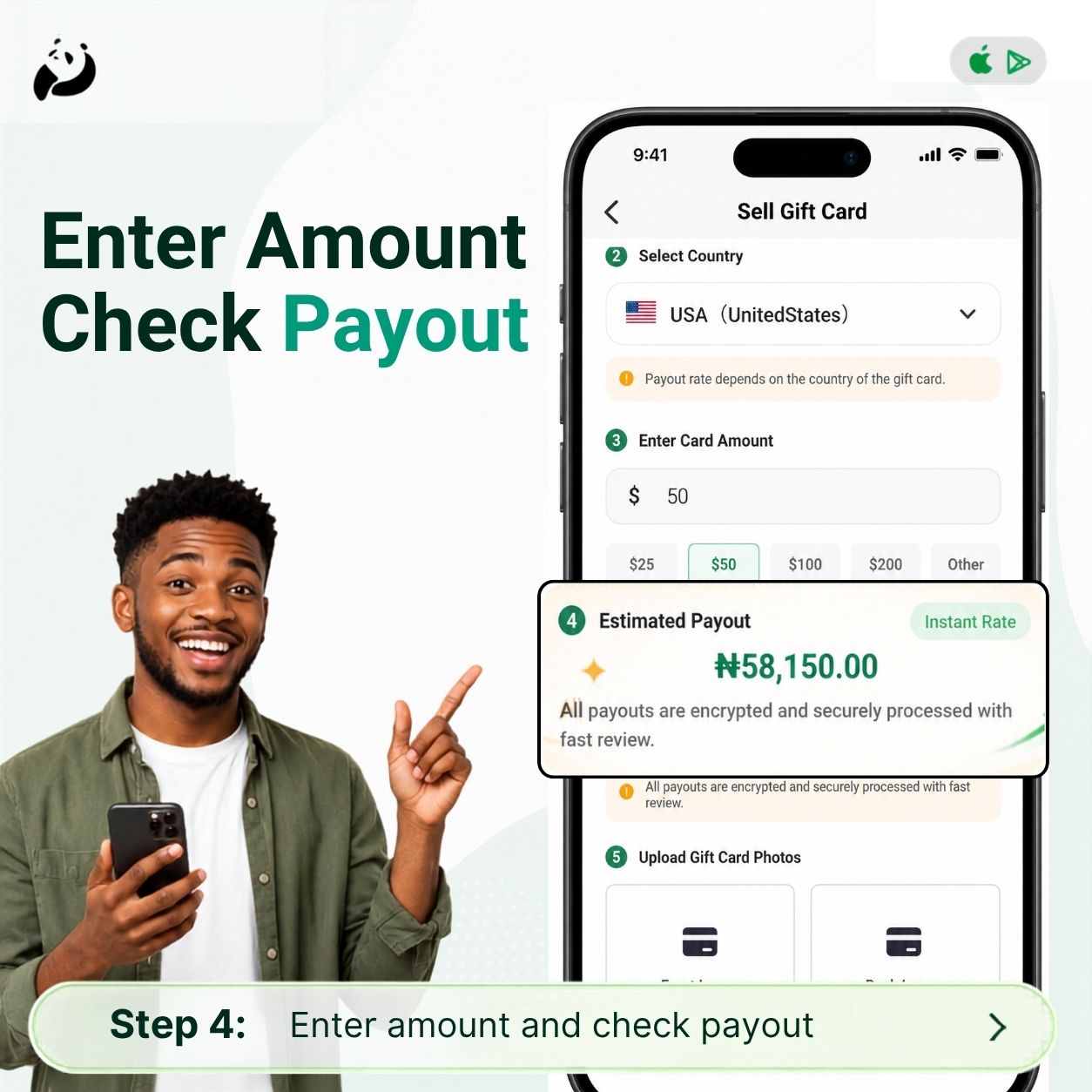
After selecting the correct card details:
- Enter the gift card amount.
- Check today’s available rate for the selected card.
- Review the estimated payout shown before you continue.
Before continuing: double-check the brand, country, card type, denomination, and estimated payout.
Submit Your Gift Card
Once everything matches, complete the required card information and submit the trade.
- Upload the requested gift card image or enter the required code details.
- Review the information one more time before tapping “Submit”.
- After submission, follow the transaction status under “Trade History”.
What Happens After You Submit?
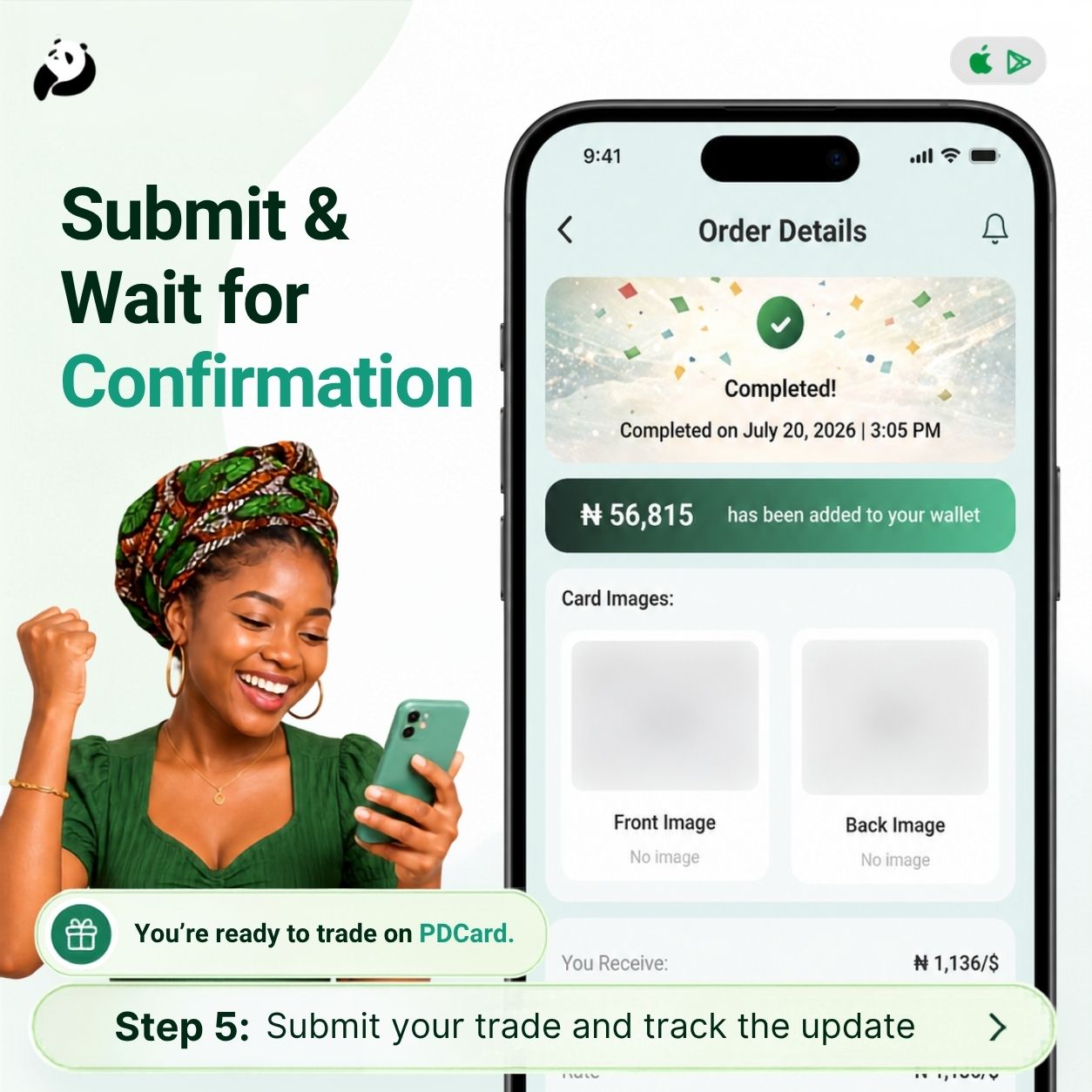
Submission is not the same as a completed trade. After you submit the card, the transaction goes through the review process. You can follow its status in Trade History while the card details are checked.
Choose Card
↓
Check Details
↓
Review Estimated Payout
↓
Submit
↓
Verification
↓
Payout
Once the gift card is reviewed and confirmed, the corresponding payout can be processed according to the current PDCard transaction flow.
Conclusion
Trading a gift card on PDCard becomes much easier when you follow the steps in order. Choose the exact card, match the correct country and card type, enter the amount, check today’s available rate, review the estimated payout, and submit only when everything matches.
Match the exact card.
Check the current available rate.
Review before submitting.
Then follow the trade until verification is complete.
Haven’t created a PDCard account yet? Read the PDCard registration guide .
Can’t find the exact gift card you want to trade? Contact PDCard Customer Service instead of choosing an unrelated card category.
READY FOR YOUR NEXT STEP?
Download PDCard or stay connected with the community